
Social Media Integration Guide
Updated March 4, 2026 · Adam Yong
You can now publish your Shoutout Posts directly to X (formerly Twitter) and LinkedIn from within the platform. This feature is available for Standard plan users and above.
Connecting Your Social Media Accounts 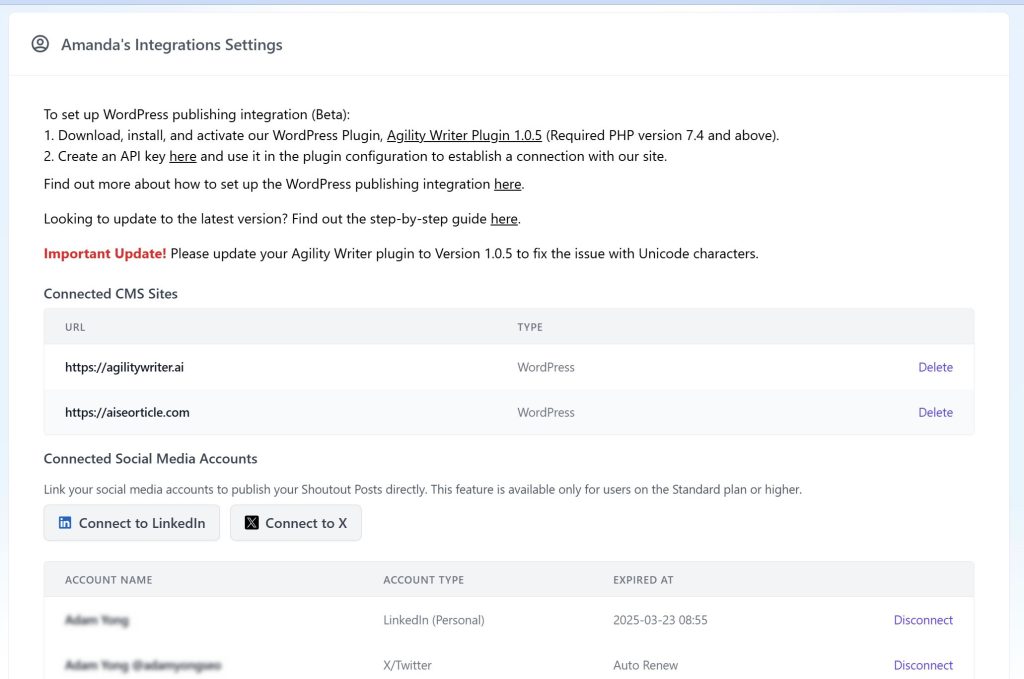 X Integration1. Go to Settings > Integrations Under Connected Social Media Accounts, Click “Connect to X”. Log in to your X account and authorize the connection. Once connected, you’ll see your X profile listed under “Connected Accounts”. LinkedIn Integration 2. Go to Settings > Integrations Under Connected Social Media Accounts, Click “Connect to LinkedIn”. Sign in to LinkedIn and grant the necessary permissions. Your LinkedIn profile will appear under “Connected Accounts”. Publishing Posts
 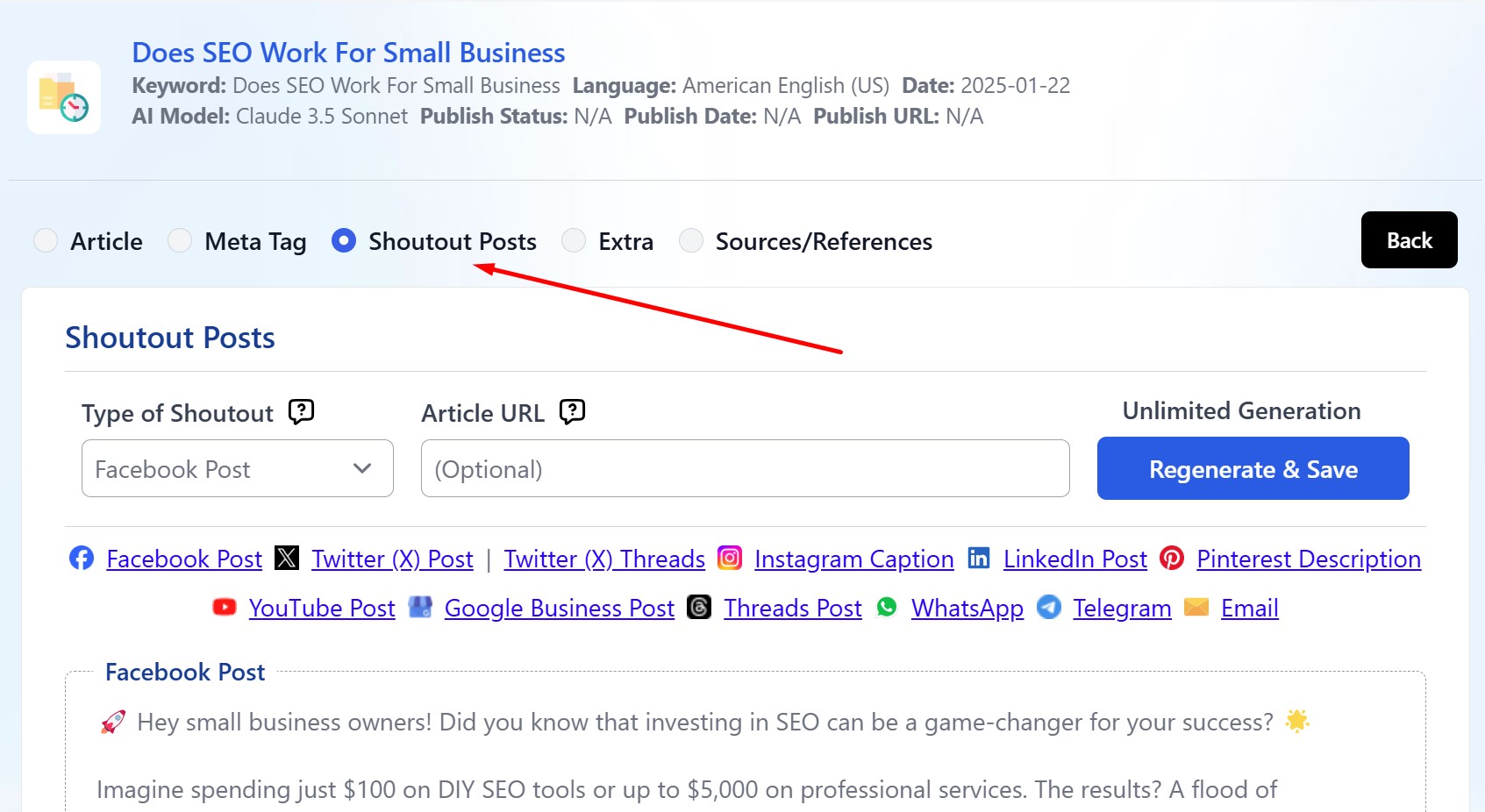 1. Navigate to any article detail page. 2. Click the “Shoutout Posts” radio button. 3. In the Shoutout Posts section: Click the Share icon next to the social media platform(s) you want to share to (X and/or LinkedIn). 4. If you have multiple connected accounts for a platform: A popup will appear displaying all your connected accounts. Select the account(s) you want to use for this post. Click “Share” to publish your post to the selected platform(s).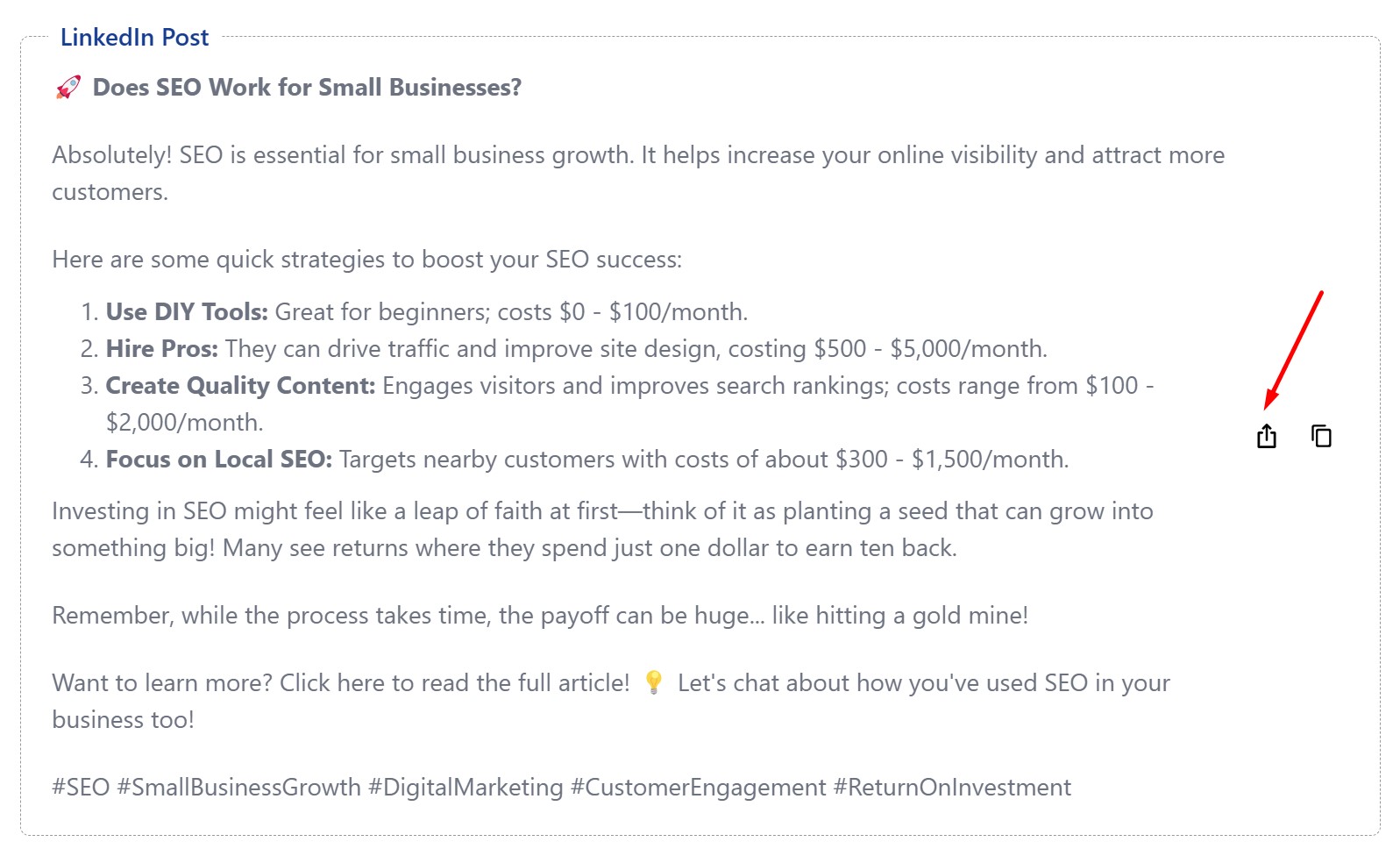
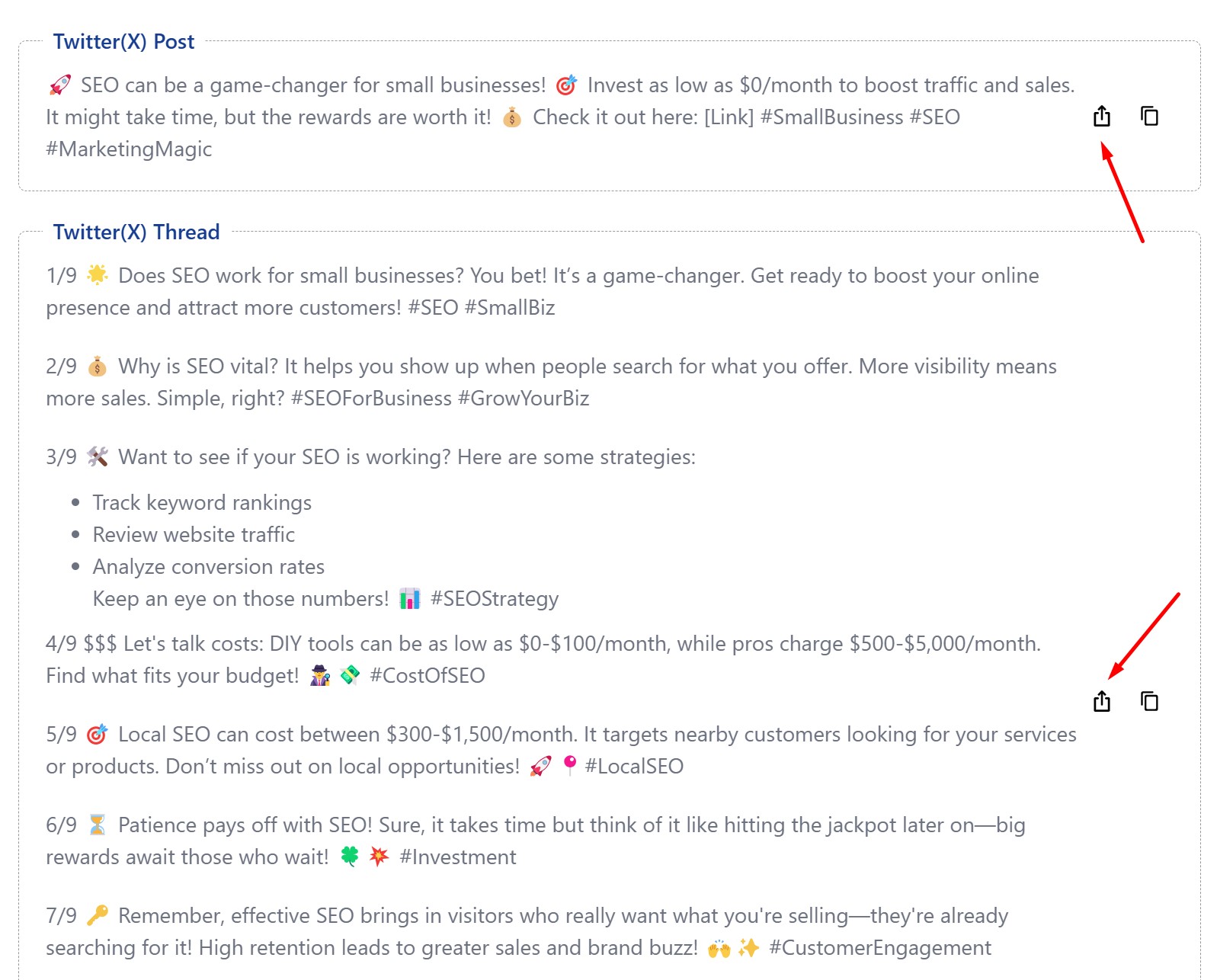 Important Notes Character limits will be automatically enforced based on each platform’s requirements. You must have at least one social media account connected to use this feature. A Standard plan or higher subscription is required to access this feature.
Still need help?
Browse the full help center or start writing on a $1 trial.