
Connect and sync
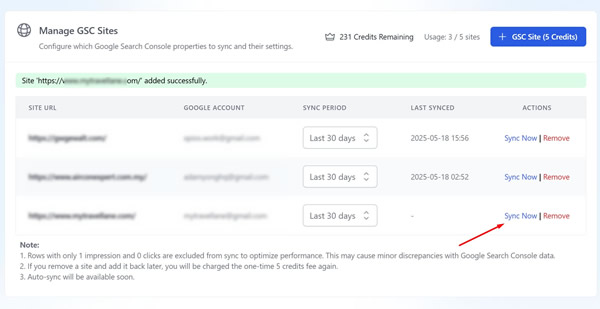
Add a verified GSC property and sync. Connection is OAuth with read-only scopes. Site allowances depend on your plan, and each added site costs 5 credits once.
Turn Google Search Console data into editorial actions: find missing queries, route internal links with PowerLinker, and track CTR and position in one place.
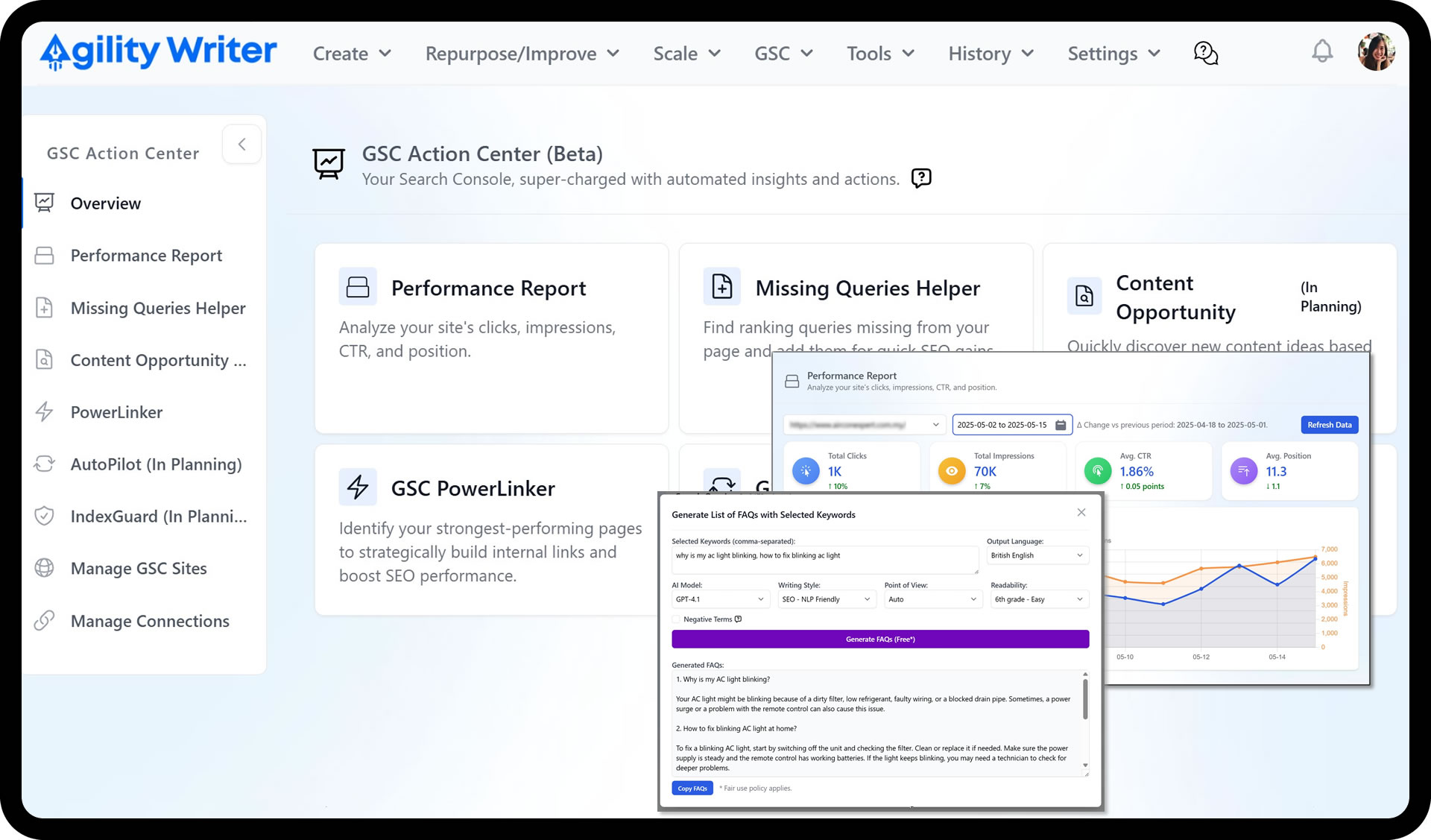
GSC is noisy. Finding what to fix, and where to act, takes hours of scrolling through query and page tables. Most of that data never turns into an actual edit.
Hours lost reading clicks and impressions with no clear next step
Queries you already rank for, but have no page that targets them
Internal links built at random instead of from your strongest pages
Go from raw clicks and impressions to a prioritized list of fixes and content actions in minutes.
Surface queries you rank for but haven't covered, then close the gap with a meta, paragraph, FAQ, or in-content edit.
PowerLinker routes internal links from your highest-power pages to the ones that need a lift, so the boost compounds.
Add a verified GSC property and sync. Connection is OAuth with read-only scopes. Site allowances depend on your plan, and each added site costs 5 credits once.
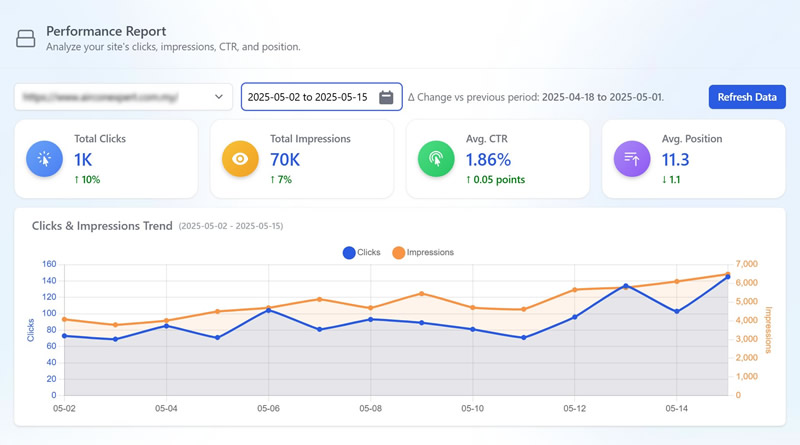
Read trendlines for clicks and impressions plus CTR and position deltas, then filter query and page tables by device and period.
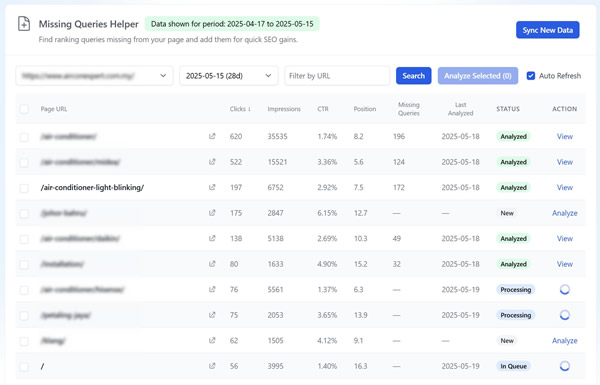
Find ranking queries missing from the page and apply one of four fast fixes: meta, a new paragraph, an FAQ, or an in-content insert.
Identify high-power source pages and route links to underperformers, using anchors from keywords ranking in positions 11 to 30.
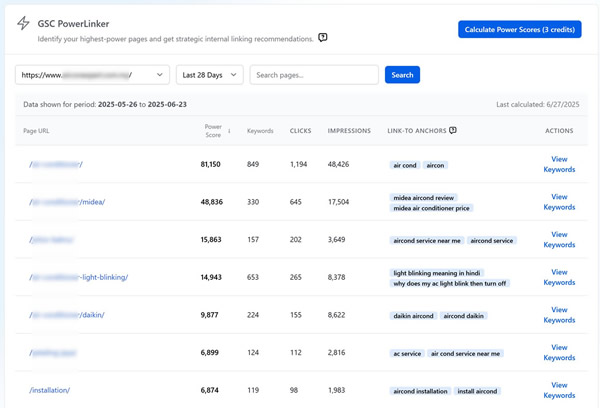
Search Console holds the only data that tells you what you actually rank for. The GSC Action Center reads that data and turns it into three kinds of work: pages worth optimizing, queries worth adding, and internal links worth routing.
Trendlines for clicks and impressions sit next to CTR and position deltas, so period-over-period movement is obvious at a glance. Query and page tables filter by device and compare periods. The guidance is baked in: a page with high impressions but low CTR is the classic “optimize me” flag, and the report routes you straight to the Missing Queries Helper for it.
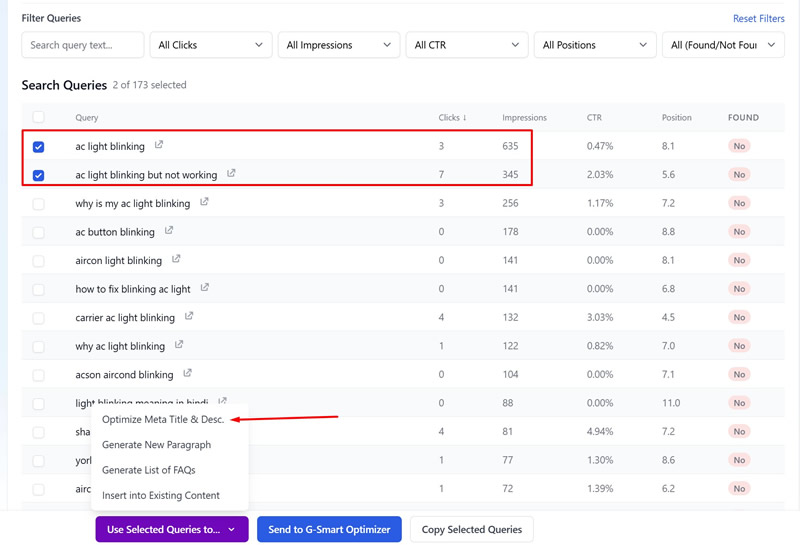
It finds queries your page already ranks for but never mentions, then offers four fast fixes: update the meta, add a new paragraph, add an FAQ, or insert a line into existing content. Use exact phrasing for FAQ wins, and watch the cannibalization warnings before adding a query another page already targets.
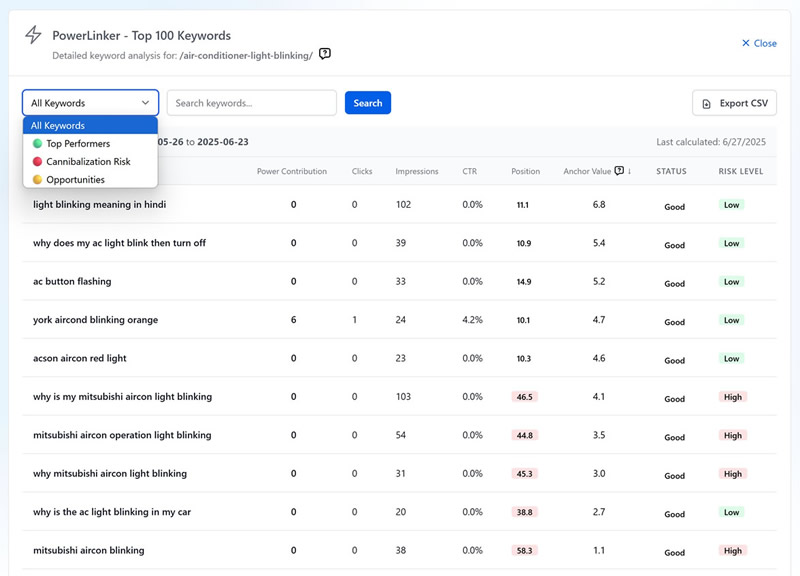
PowerLinker calculates a Power Score for every page to reveal your best link sources. It recommends anchor text from keywords ranking in positions 11 to 30, where a small lift often lands a page on page one, warns when a link risks cannibalization, and exports the whole plan. A reliable playbook: add an FAQ section to a strong page and place the contextual link there.
Sites with very low search volume get sparse output, since there isn’t much data to act on. Properties with steady impressions see the most actionable recommendations. When you’re ready to apply a fix, edit it in the Smart Editor and keep building coverage from your topical map.
Performance Report with clicks, impressions, CTR, and position deltas
Query and page tables with device filters and period comparisons
Missing Queries Helper with four fast fixes and cannibalization warnings
PowerLinker Power Scores to reveal your strongest source pages
Anchor recommendations for positions 11 to 30, with exportable link plans
GSC OAuth connection requesting read-only scopes
Build semantic topic clusters, spot entity gaps, and plan internal links, then publish the right pages first.
Generate up to 200 articles in one run from CSVs, keywords, or location lists, with auto silo links that build topical authority.
Polish drafts fast: adjust tone and point of view, remove AI-ish phrasing, split or summarize paragraphs, and continue writing in the same voice.

Start your $1 trial. 5 credits, full access to GSC Action Center and every other Agility Writer feature.