
Create a fact sheet
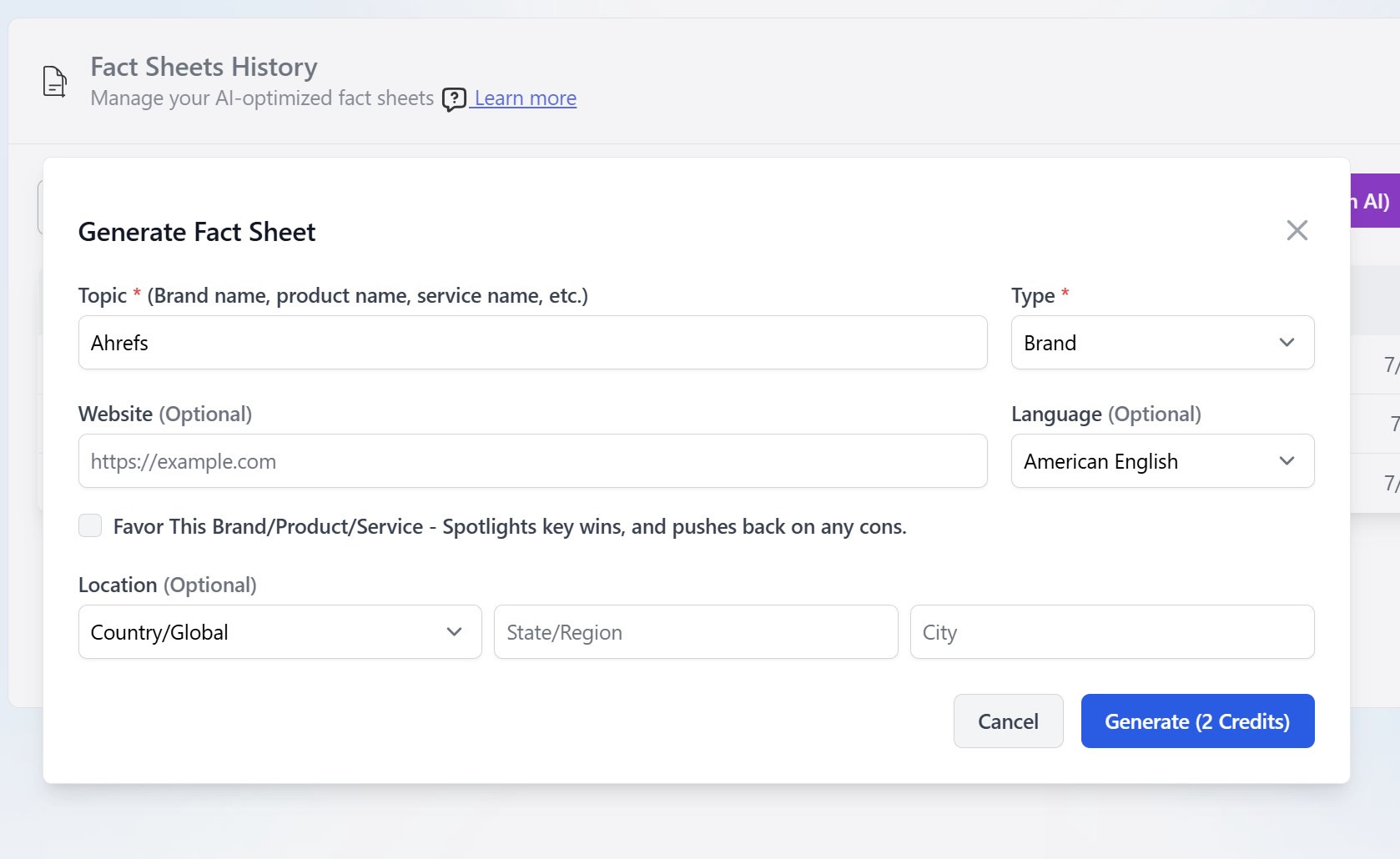
Use AI Research (topic, type, website, language, optional location and favor) to generate in about 5 to 10 minutes, or choose Manual Input and write it yourself.
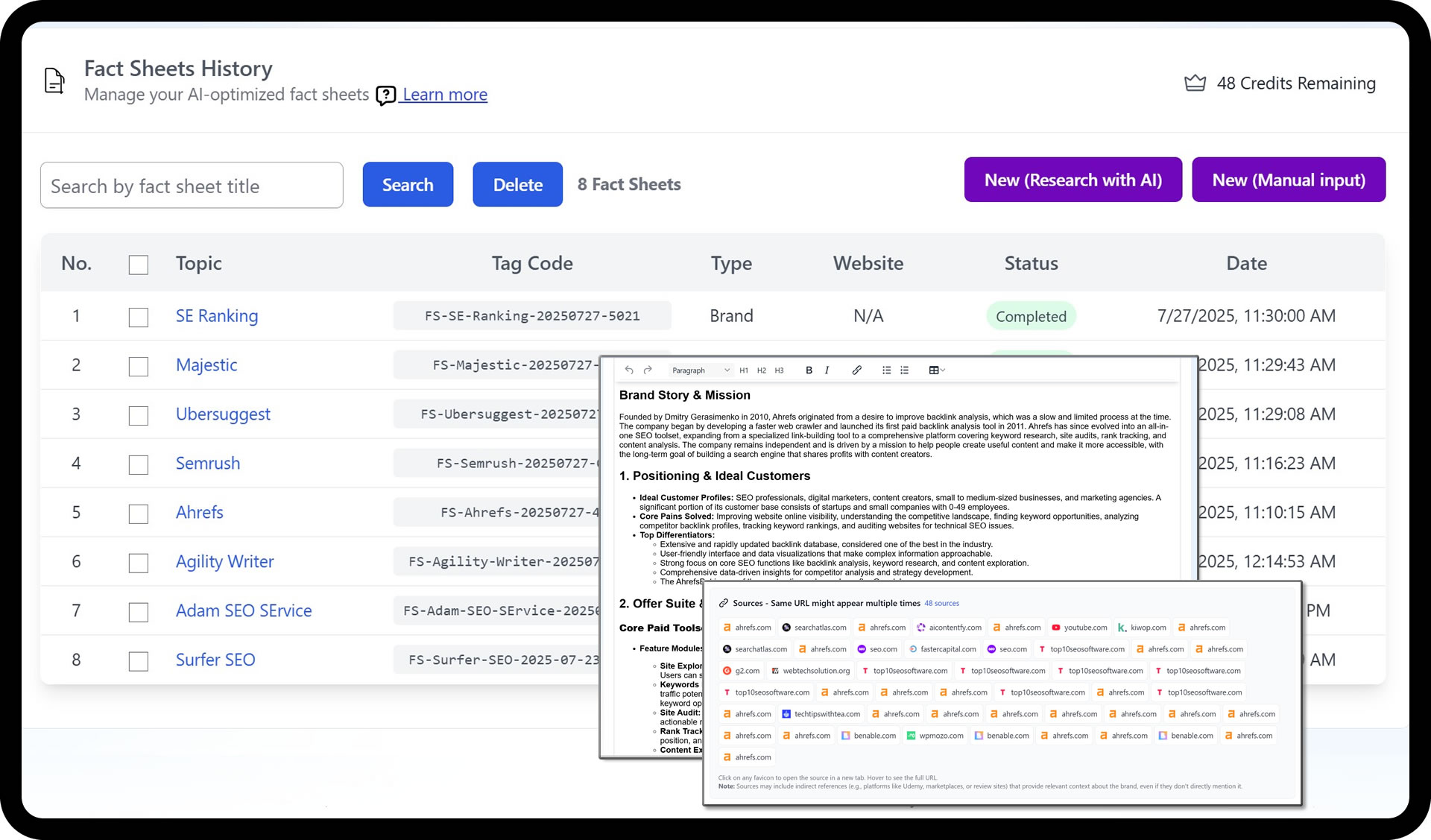
Reusable, research-backed profiles for brands, products, and services. Build them once and attach them so every article stays accurate and consistent.
Across a comparison, an alternatives post, and a review, the same product picks up different prices, features, and claims. Keeping them aligned by hand doesn't scale.
Conflicting product claims spread across dozens of pages
The same research repeated for every comparison and roundup
Location pages with inconsistent NAP, licensing, and service details
One source of truth removes conflicting claims across articles, so every page agrees on the facts.
Create a sheet once, then plug it into comparisons, alternatives, roundups, and reviews.
AI research with citations cuts comparison-page writing time by 60 to 80 percent.
Use AI Research (topic, type, website, language, optional location and favor) to generate in about 5 to 10 minutes, or choose Manual Input and write it yourself.
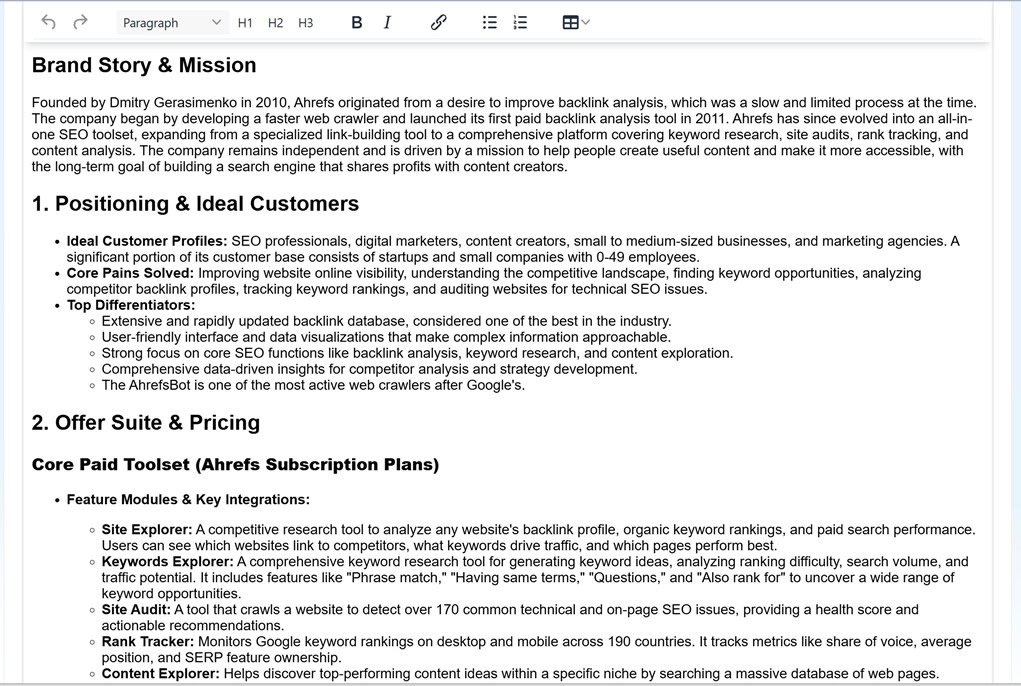
Check citations, trim to essentials, and format clear sections: overview, features, pricing, audience, and differentiators.
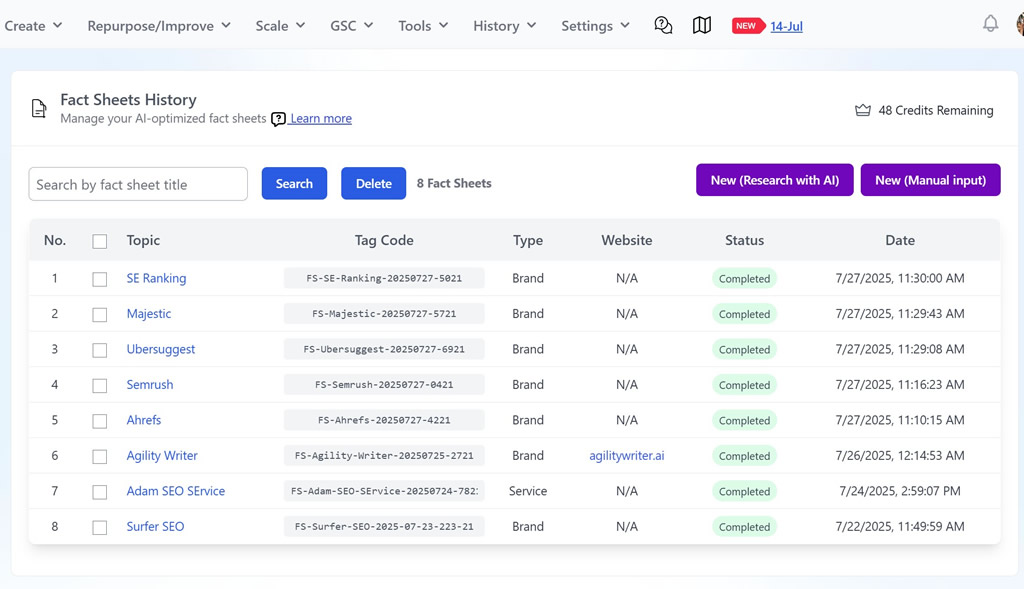
Save to your library. Each sheet gets a unique Tag Code, such as FS-Ahrefs-20250727-4221, for quick reference.
In the writer, enable Custom Instruction, Fact Sheets & Knowledge, browse your library, and select the relevant sheets so the AI keeps facts consistent.
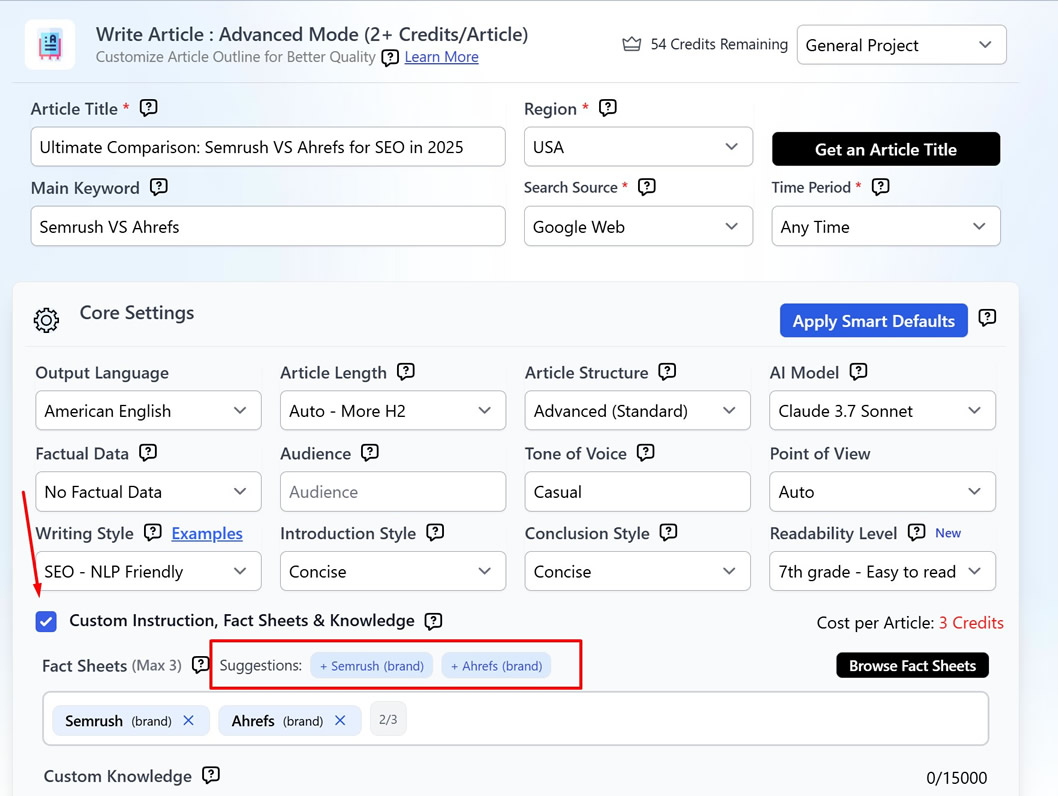
Fact Sheets are reusable, research-backed profiles for brands, products, or services. Use one as a single source of truth so every article stays accurate. Build it with AI research, citations included, or write it manually, then attach it to any article in Agility Writer.
The scale pattern is simple: build once, then generate “[Service] in [City]” pages across your whole footprint, with the same facts on every one. Pair Fact Sheets with Bulk Generation to roll those pages out in a single run.
For a click-by-click walkthrough of creating and attaching sheets, see the Fact Sheets help article.
AI research with citations, or manual input with a standard structure
A single source of truth attached to any article
Tag Codes for fast bulk setup and search
Favor option to apply a positive bias where appropriate
Built for comparisons, alternatives, roundups, and reviews
Keeps NAP, licensing, and service details consistent across location pages
Go from idea to publish-ready draft with proven defaults. Pick a type, add a topic, review the outline, and generate, with no parameter tweaking.
Generate up to 200 articles in one run from CSVs, keywords, or location lists, with auto silo links that build topical authority.
Pick a mode for speed or control, then a template that matches the job, and generate long-form content that's ready to rank.

Start your $1 trial. 5 credits, full access to Fact Sheets & Custom Knowledge and every other Agility Writer feature.