
Enable in writing mode
Turn on Shoutout Posts under Advanced Settings before you add the article to the queue.
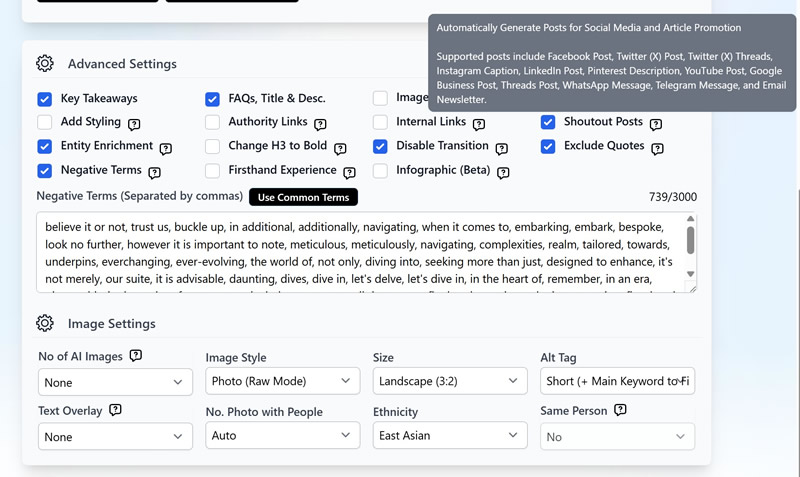
Turn every finished article into up to 12 platform-ready posts, then refine or regenerate as many times as you like.
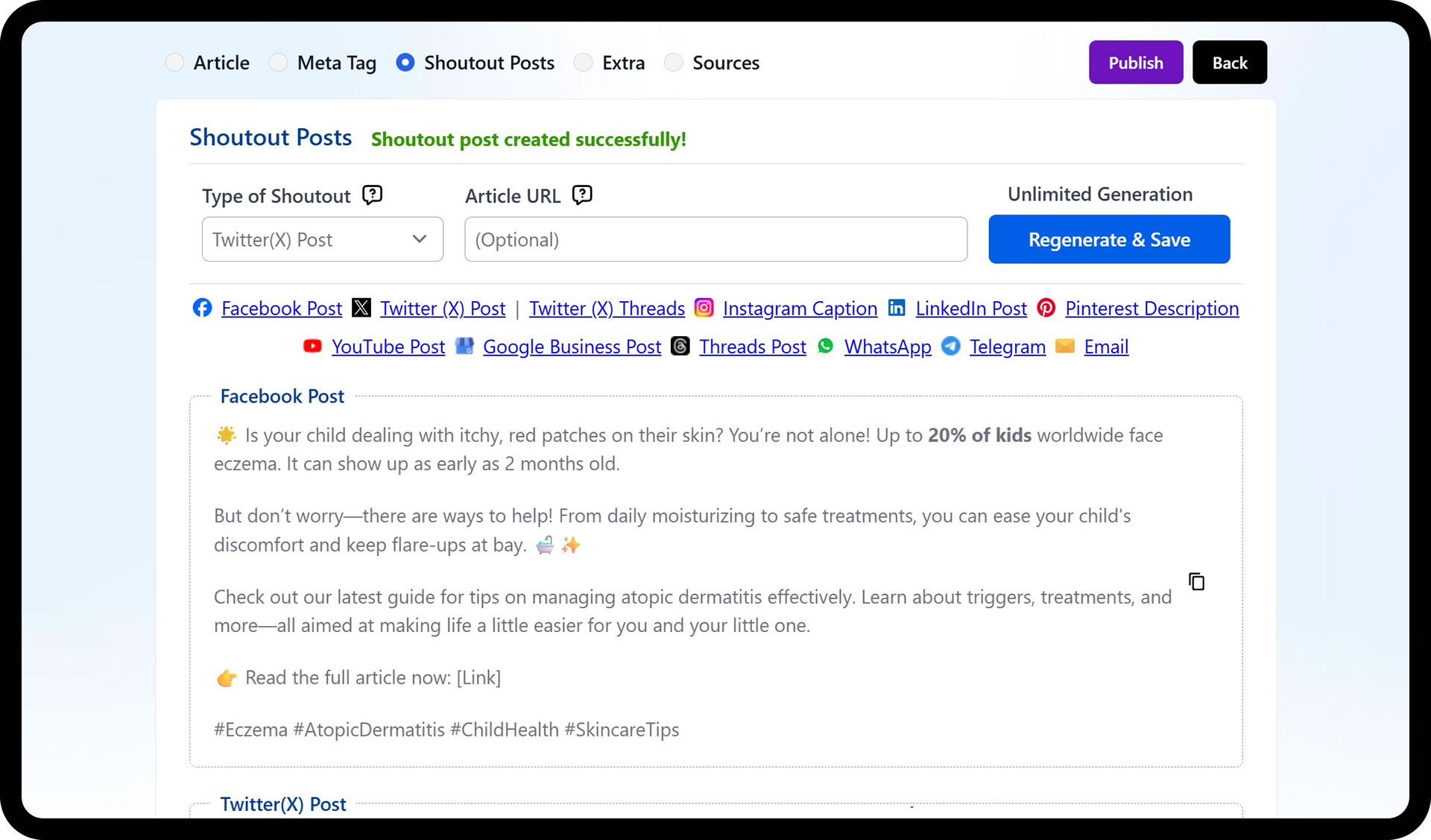
You finish the article, then run out of time to write the Facebook, LinkedIn, and email versions that actually drive traffic to it.
Each channel needs its own format and tone, written from scratch
Multi-platform promotion eats time better spent on the next article
Reposting the same blurb everywhere reads flat and underperforms
Generate posts for every major channel from a finished draft in a few minutes, instead of writing each one by hand.
Each platform gets copy shaped to its format, from a short X post to a longer LinkedIn write-up or email newsletter.
Regenerate any post type until the copy is right. Regeneration is unlimited for articles created after the feature's release.
Turn on Shoutout Posts under Advanced Settings before you add the article to the queue.
The posts generate alongside the article. Allow about 10 to 15 minutes for the article plus its social set.
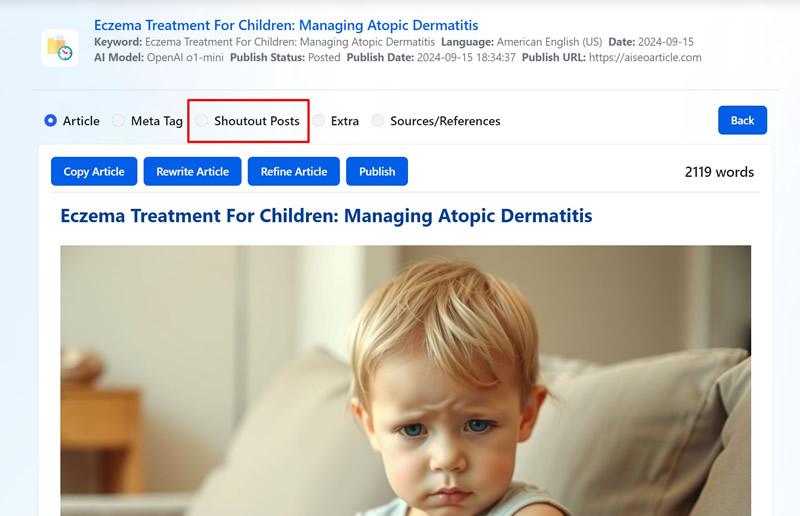
Open Article History, then your article, then the Shoutout Posts tab to see and copy the posts for each platform.
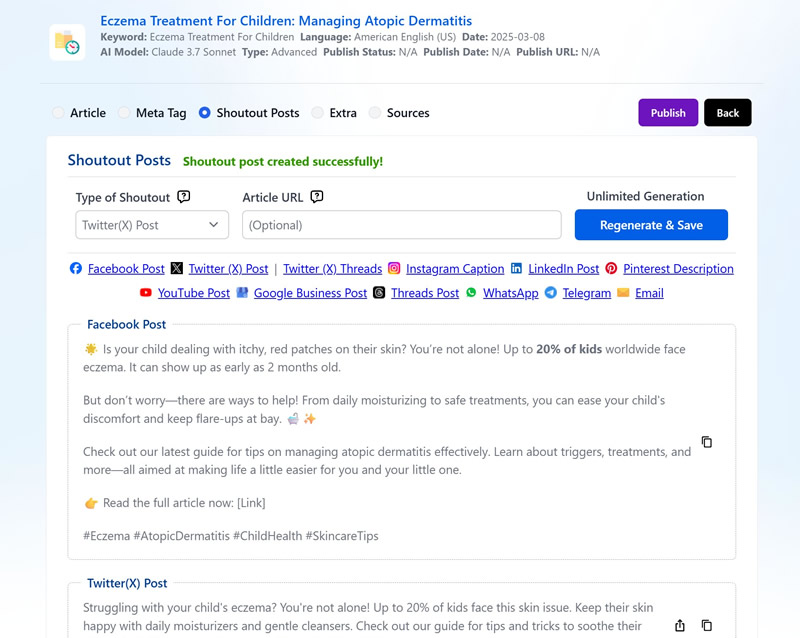
Pick a post type, such as Facebook or LinkedIn, and use Regenerate & Save to create new versions. Add your article URL so posts carry a direct link.
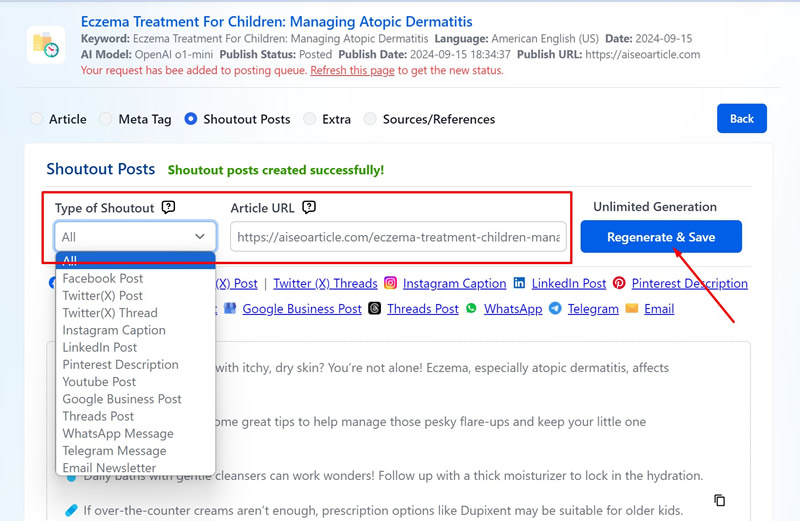
Shoutout Posts turn a finished draft into ready-to-share copy for every major channel. Enable the feature in the writer, wait a few minutes, then copy each platform’s post from the article’s detail screen. Regenerations are unlimited, so you can keep tuning a channel’s copy until it fits your voice.
One run produces up to 12 post types, each shaped to its channel’s format and tone:
Two things to know before you queue an article: the promo set generates alongside the article (about 10 to 15 minutes total), and Shoutout Posts are not available for 1-Click articles or product descriptions. Pair them with the full writing modes and you get the article and its distribution kit in one pass.
Posts for Facebook, X, X Threads, Instagram, LinkedIn, Pinterest, YouTube, Google Business, Threads, WhatsApp, Telegram, and email
Up to 12 platform-ready posts per article
Unlimited regeneration for articles created after release
Optional article URL so every post links back
Copy each post straight from the article's detail screen
Go from idea to publish-ready draft with proven defaults. Pick a type, add a topic, review the outline, and generate, with no parameter tweaking.
Polish drafts fast: adjust tone and point of view, remove AI-ish phrasing, split or summarize paragraphs, and continue writing in the same voice.
Pick a mode for speed or control, then a template that matches the job, and generate long-form content that's ready to rank.

Start your $1 trial. 5 credits, full access to Social Posts (Shoutout Posts) and every other Agility Writer feature.