
How to Covert youtube video to article
Updated March 28, 2024 · Adam Yong
How to Convert YouTube Video to Article
YouTube to Article Guide
The YouTube to Article feature lets you write high-quality articles with detailed facts from YouTube videos. It currently supports videos with English captions and is up to 40 minutes in length. You can select an English video and write it in a foreign article.
Get Started
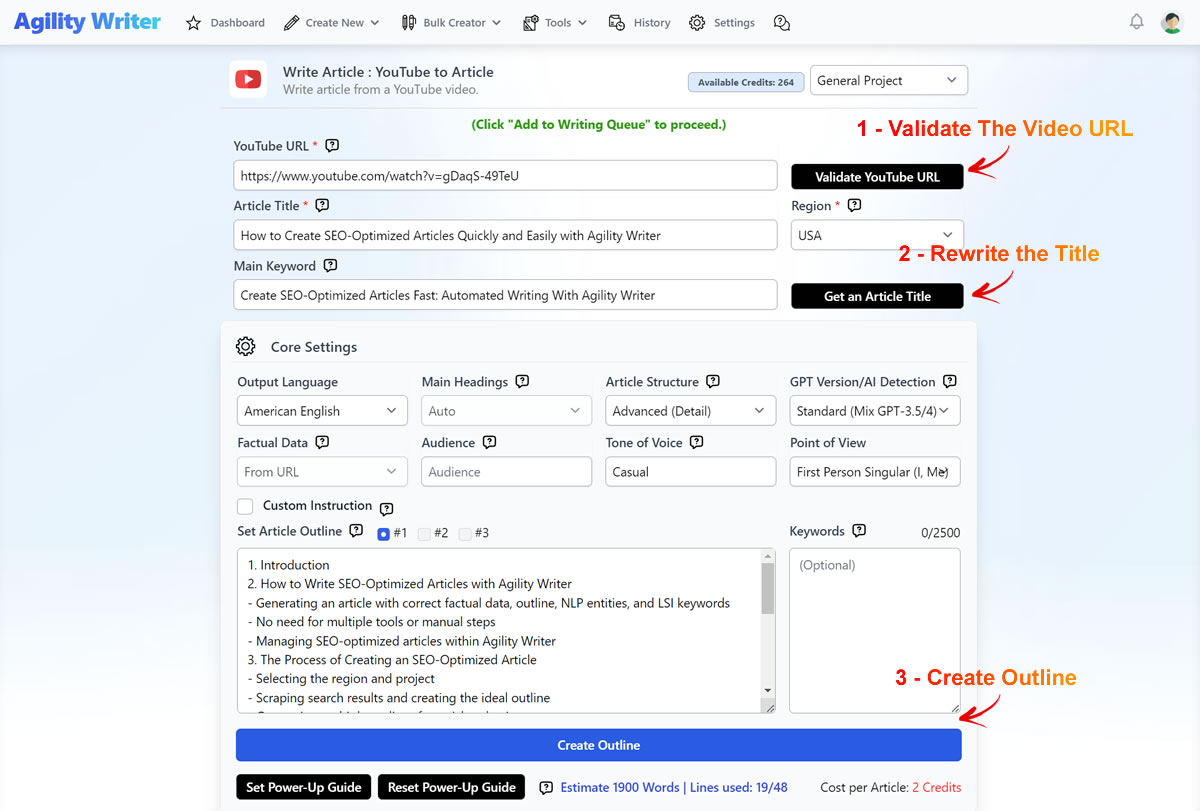
- Enter the YouTube video’s URL and click the Validate YouTube URL button. The system will validate the video to ensure the URL is accessible and with English captions.
- Once the video is validated, the title will be returned. We recommend rewriting the article title to make it unique – Click the Get an Article Title button.
- Click the Create Outline button to generate the 3 article outlines. This process may take up to 3-4 minutes, depending on the video’s length. This step may use up 1 “Free Outline Builder” credit.
- If you are unhappy with the outline, click the Create Outline button again to generate another 3 sets. Regenerate the outline on the same video will not cost an extra “Free Outline Builder” credit.
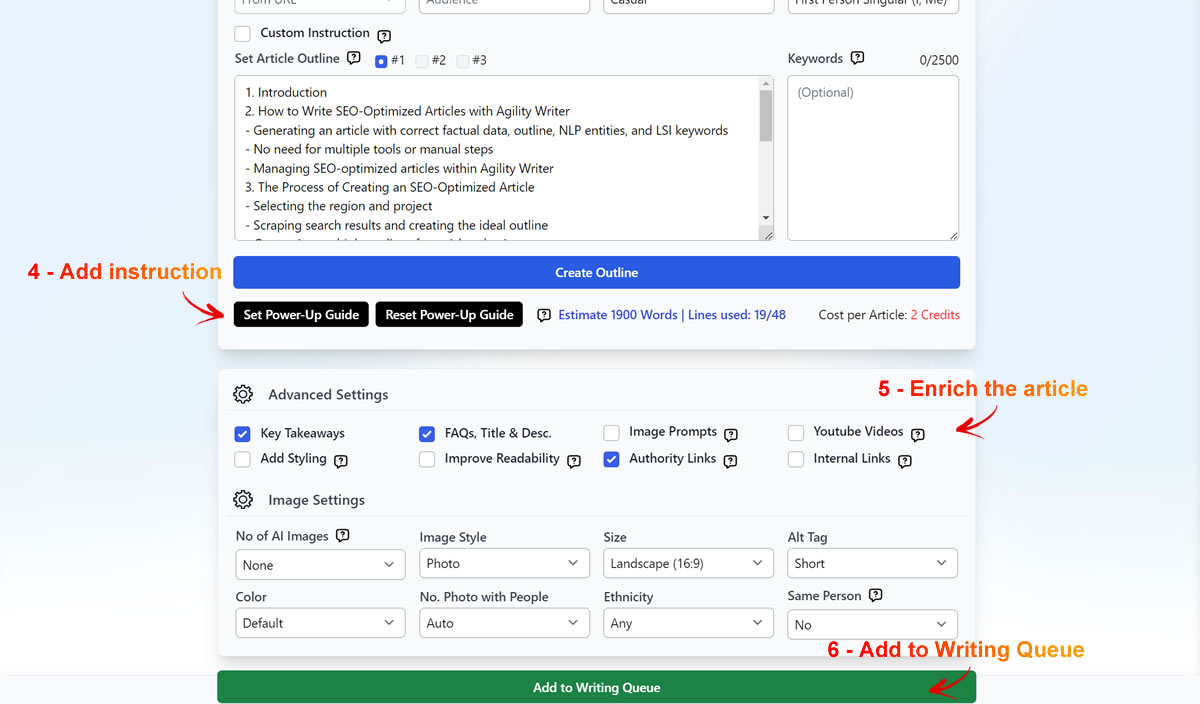
- If you wish to add your own data or instructions to guide AI, write better, use the Power-Up Guide.
- Next, proceed to complete the necessary settings and click the Add to Writing Queue button.
Still need help?
Browse the full help center or start writing on a $1 trial.