
Audit the draft
Analyze your article against Google-aligned quality checks and see the gaps mapped to specific benchmarks.
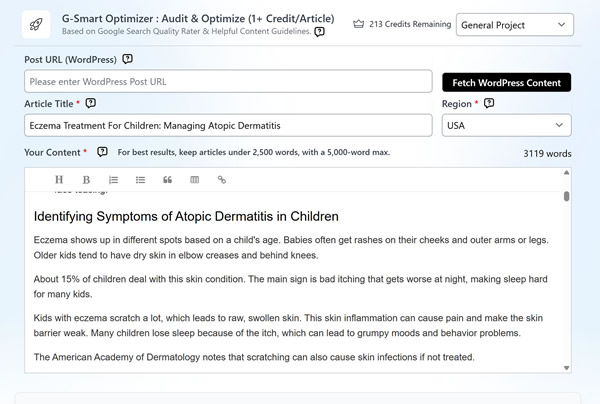
Audit any article against Google's quality guidelines, auto-improve it in Enhance, Extensive, or Research mode, then compare versions and verify the lift.
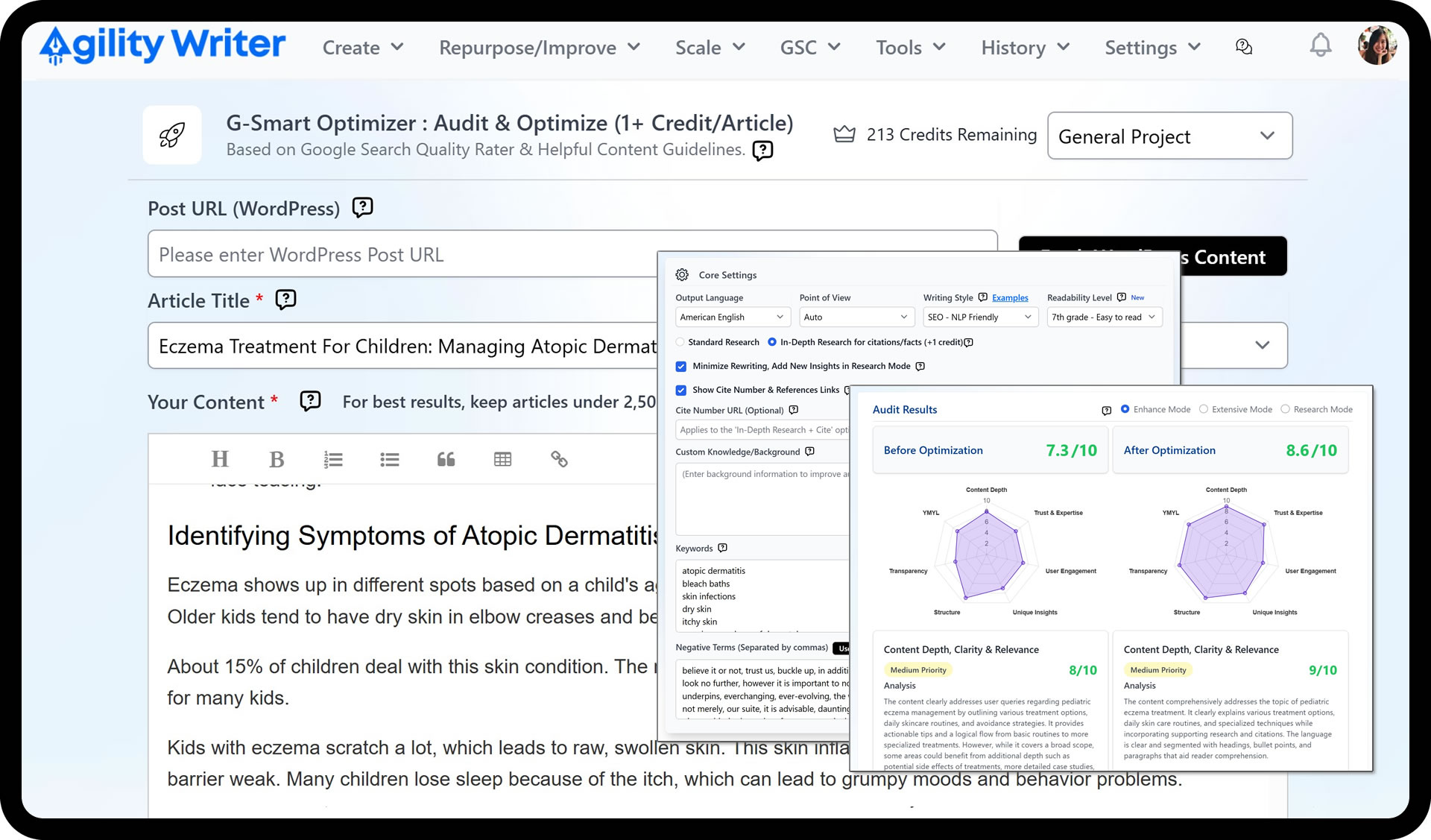
Solid writing often falls short on the things raters look for: thin E-E-A-T, weak context, jumpy flow, and no information gain over what already ranks.
Thin experience and expertise signals against E-E-A-T benchmarks
Weak context, abrupt transitions, and inconsistent point of view
No information gain, so the page reads like everything else on the SERP
The audit maps gaps to the Search Quality Rater and Helpful Content benchmarks, so you fix what those guidelines actually reward.
Resolve point-of-view inconsistencies, weak context, and flow issues that quietly drag a page down.
Research mode expands the article with related topics and citations to create real information gain.
Analyze your article against Google-aligned quality checks and see the gaps mapped to specific benchmarks.
Pick Enhance to keep the voice, Extensive for a deeper rewrite, or Research to expand and cite.
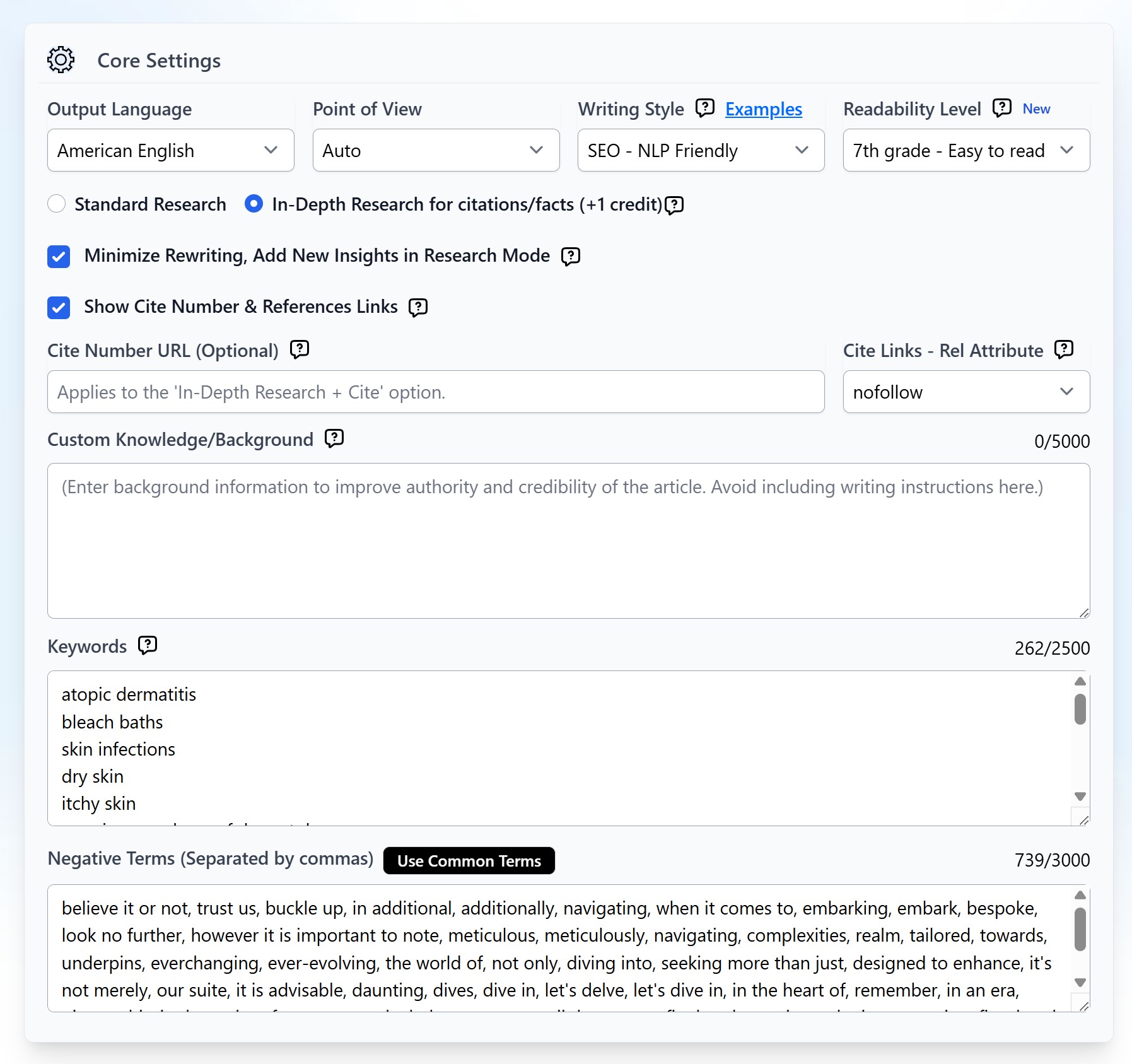
Compare versions side by side in Revisions, inspect the highlights, and pick the best output or roll back.
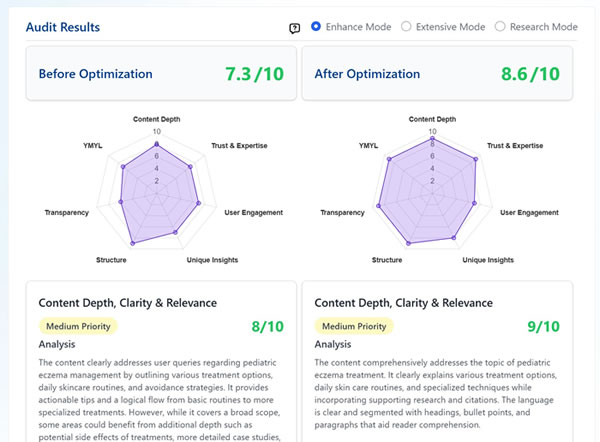
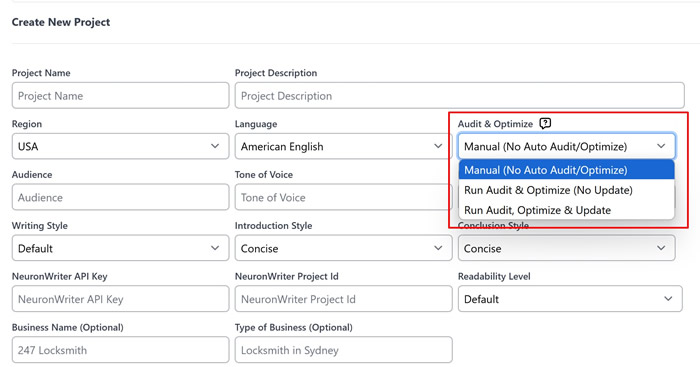
Set auto audit and optimize in Project Settings: manual, auto audit with no update, or auto audit plus update.
G-Smart Optimizer audits a finished article against Google’s Search Quality Rater and Helpful Content guidelines, applies targeted improvements, then verifies the uplift. One free audit and optimization is available on eligible articles, runs take a few minutes, and you can revert instantly if you prefer the original.
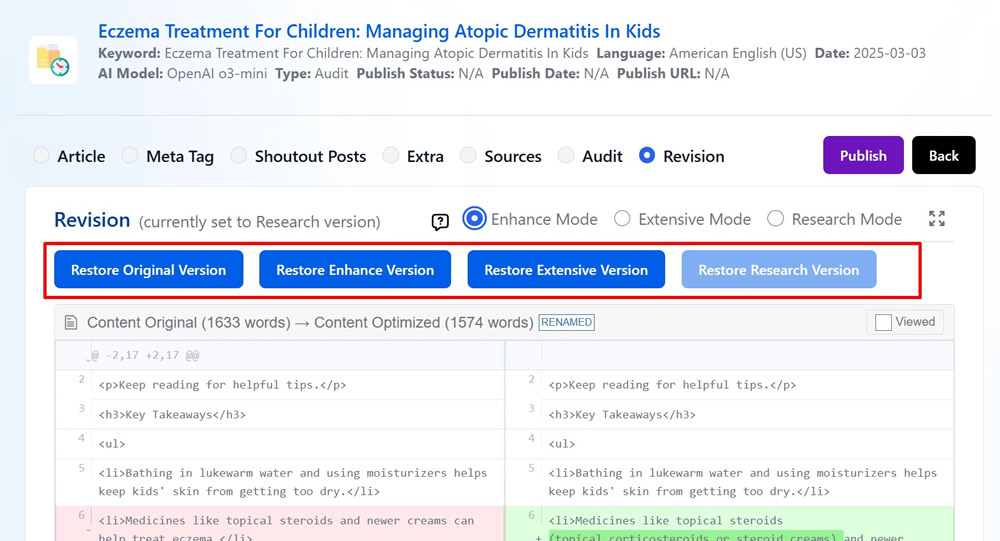
Each run produces two versions, Enhance and Extensive, so you can compare. Non-premium models output Enhance only, and Research mode runs through G-Smart Optimizer.
Audit against Search Quality Rater and Helpful Content guidelines
Three modes: Enhance, Extensive, and Research
Side-by-side revision compare with instant rollback
Two versions per run (Enhance and Extensive) to choose from
Auto audit and optimize at the project level
One free audit and optimization on eligible articles
Polish drafts fast: adjust tone and point of view, remove AI-ish phrasing, split or summarize paragraphs, and continue writing in the same voice.
Turn Google Search Console data into editorial actions: find missing queries, route internal links with PowerLinker, and track CTR and position in one place.
Go from idea to publish-ready draft with proven defaults. Pick a type, add a topic, review the outline, and generate, with no parameter tweaking.

Start your $1 trial. 5 credits, full access to G-Smart Optimizer and every other Agility Writer feature.