
Fact Sheets: Complete Guide
Updated March 4, 2026 · Adam Yong
Fact Sheets are reusable, research-backed documents that store comprehensive information about brands, products, or services. They serve as your single source of truth for consistent, accurate content across all your articles.
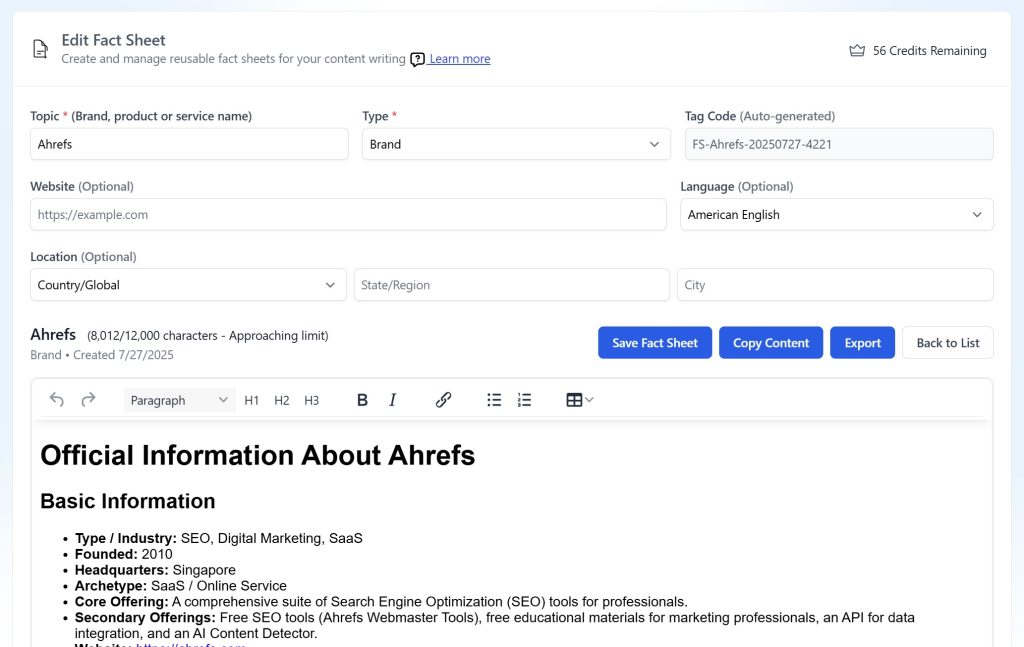
Key Benefits
🎯 Data Consistency
- Maintain uniform information across multiple articles
- Eliminate contradictory facts in your content
- Ensure accuracy when writing about the same topics repeatedly
🔄 Reusability
- Create once, use everywhere
- Perfect for comparison articles, alternatives pages, and product roundups
- Save time on repetitive research
📊 High-Quality Research
- AI-powered in-depth research with citations
- Comprehensive data collection from multiple sources
- Professional-grade data point & information
⚡ Efficiency
- Reduce writing time by 60-80% for comparison content
- Streamline content creation workflows
- Focus on analysis rather than data gathering
When to Use Fact Sheets
✅ Perfect For:
- Comparison Articles: “Tool A vs Tool B vs Tool C”
- Alternatives Pages: “Top 10 [Product] Alternatives”
- Product Roundups: “Best [Category] Tools in 2025”
- Review Articles: Multiple product reviews
- Industry Analysis: Recurring mentions of key players
- Local Business Pages: Service + location combinations for consistent local SEO content
❌ Not Ideal For:
- One-off articles about unknown topics
- News articles requiring real-time information
- Highly technical documentation needing frequent updates
Local Business Use Cases
🏢 Service + Location Pages
Local businesses can create powerful, consistent content across multiple locations using fact sheets:
Brand Fact Sheet Example:
- Company overview and history
- Core values and mission
- Contact information and hours
- Certifications and licenses
- Service guarantees and warranties
Service Fact Sheet Examples:
- “Plumbing Services”: Detailed service descriptions, pricing ranges, typical project timelines
- “HVAC Installation”: Equipment brands used, installation process, maintenance plans
- “Legal Consultation”: Practice areas, consultation process, fee structures
Content Multiplication Strategy
- Create Once: Build comprehensive brand and service fact sheets
- Reuse Everywhere: Generate location-specific pages like:
- “Plumbing Services in [City Name]”
- “Emergency HVAC Repair in [Neighborhood]”
- “Personal Injury Lawyer in [State]”
- “[Service] Near Me in [Location]”
Comparison & Alternatives Content Use Cases
🆚 VS Comparison Pages
Create detailed fact sheets for each competitor, then generate multiple comparison articles:
Example Workflow:
- Create Fact Sheets: Ahrefs, SEMrush, Moz, Ubersuggest
- Generate Articles:
- “Ahrefs vs SEMrush: Which SEO Tool is Better?”
- “SEMrush vs Moz: Complete Comparison 2025”
- “Ahrefs vs Ubersuggest: Features & Pricing Compared”
🔄 Alternatives Articles
Build comprehensive fact sheets for market leaders and competitors:
Example Strategy:
- Primary: “Slack” (your brand – primary fact sheet)
- Alternatives: Microsoft Teams, Discord, Telegram, Zoom Chat
Generate:
- “X Best Microsoft Teams Alternatives for Team Communication” – use Slack, Discord, Telegram, Zoom Chat fact sheets.
- “X Best Zoom Chat Alternatives for Team Communication” – use Slack, Discord, Telegram, Microsoft Teams fact sheets.
- “X Best Discord Alternatives for Team Communication” – use Slack, Zoom Chat, Telegram, Microsoft Teams fact sheets.
How to Create Fact Sheets
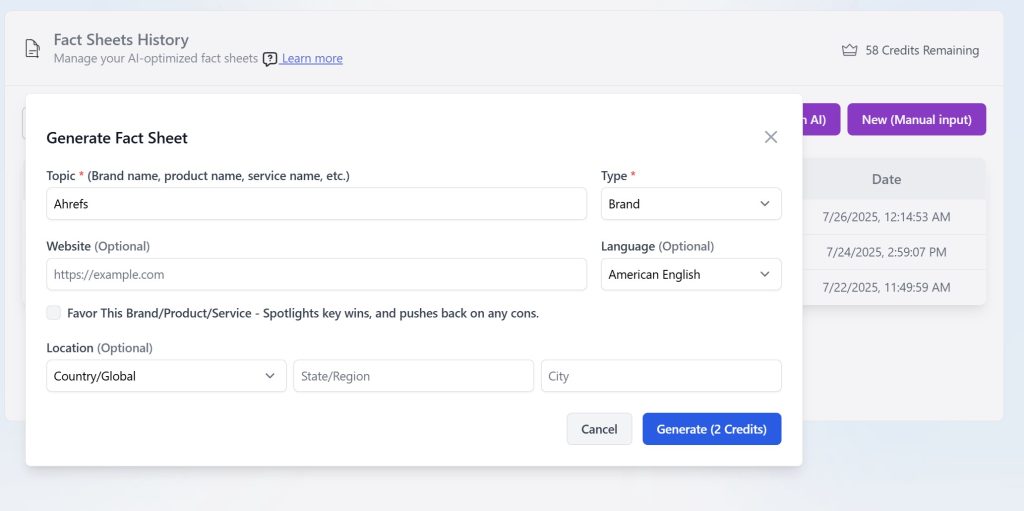
Method 1: AI Research (Recommended)
- Access the Feature
- Navigate to Tools > Fact Sheets
- Click “New (Research with AI)”
- Basic Information
- Topic: Enter the brand, product, or service name
- Type: Choose from Brand, Product, or Service
- Website: Add official website (helps AI research)
- Language: Select your content language
- Advanced Options
- Location: Specify geographic focus if relevant
- Favor Option: Check if you want positive bias toward the topic
- Generate
- Click “Generate (2 Credits)”
- Wait 5-10 minutes for AI research completion
- Review and edit the generated content
Method 2: Manual Creation
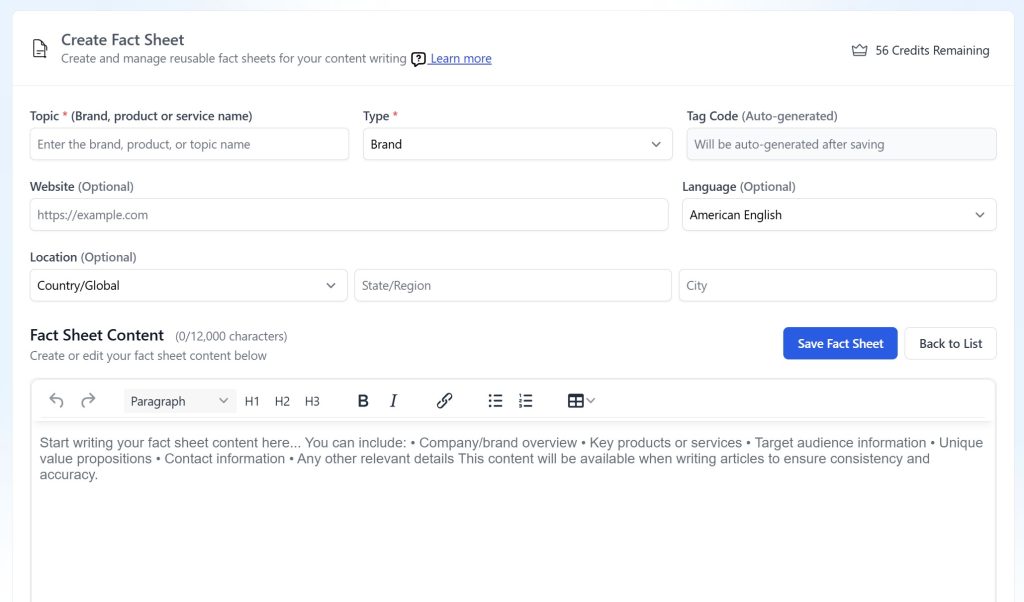
- Start Manual Creation
- Click “New (Manual Input)”
- Fill in basic information fields
- Content Creation
- Use the rich text editor to write your fact sheet
- Include key sections like:
- Company overview
- Product features
- Pricing information
- Target audience
- Unique selling points
- Contact information
- Save and Organize
- Click “Save Fact Sheet”
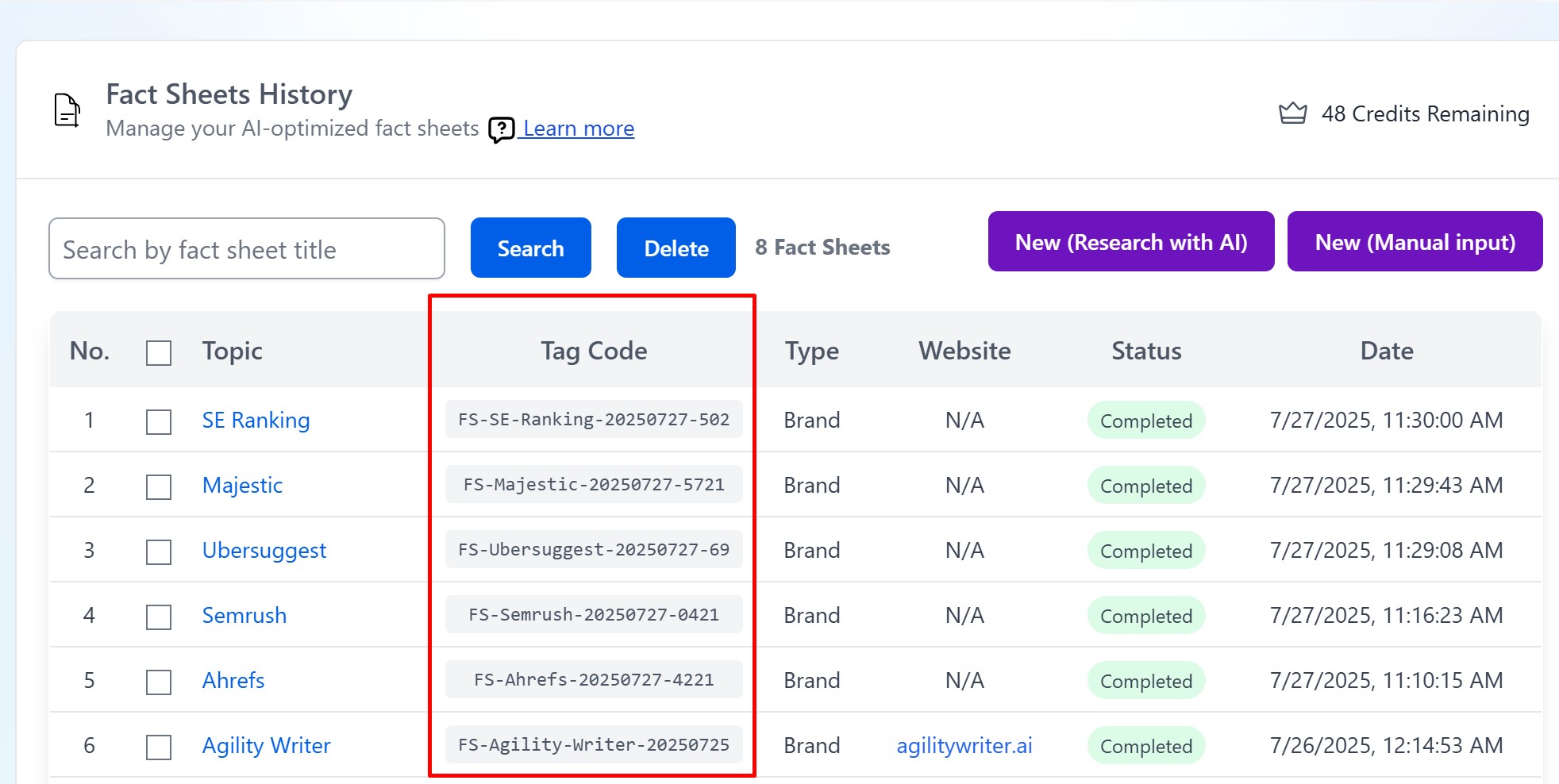
- Note the auto-generated Tag Code for future reference
Using Fact Sheets in Article Creation
In Article Writing Mode:
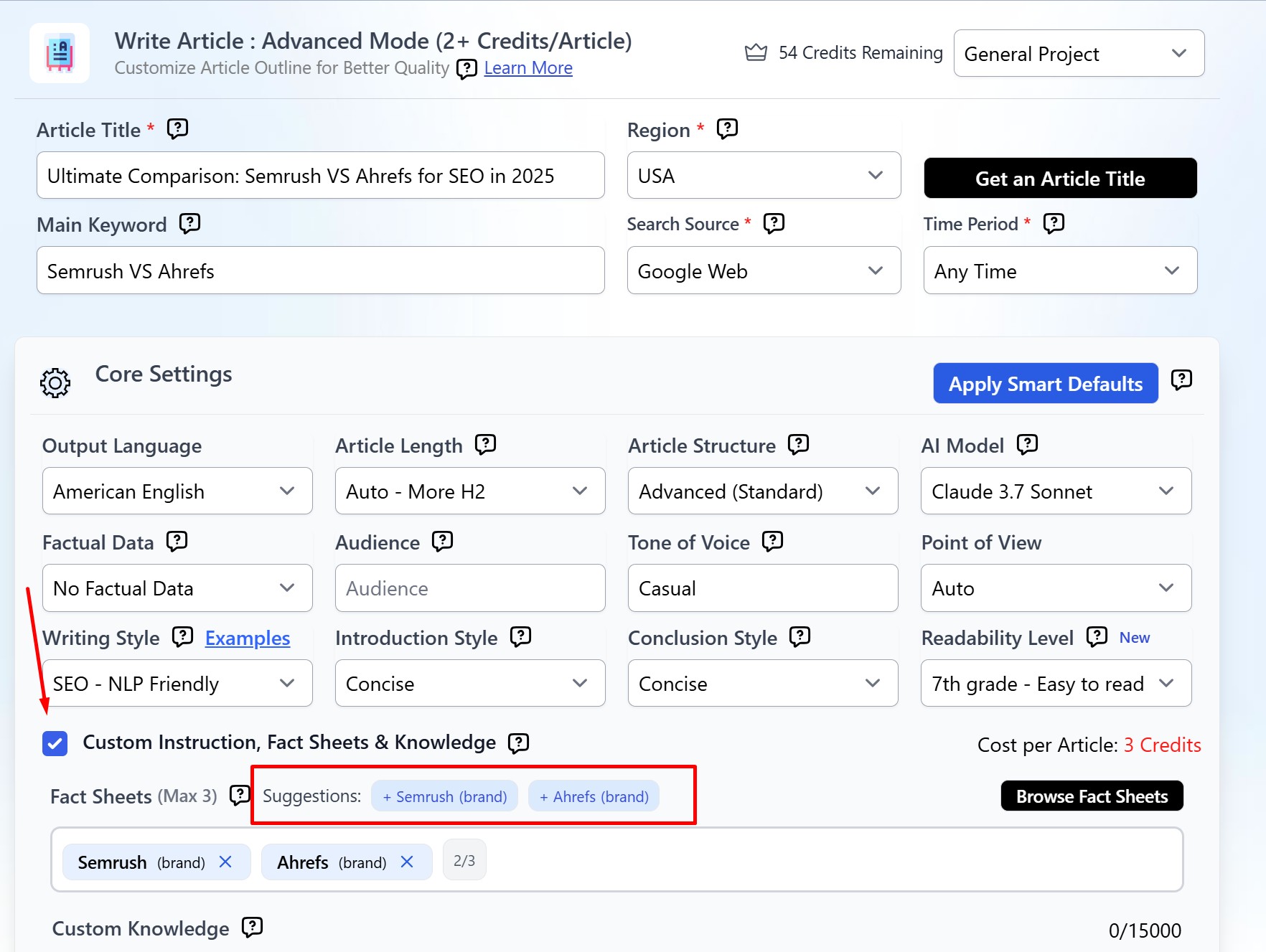
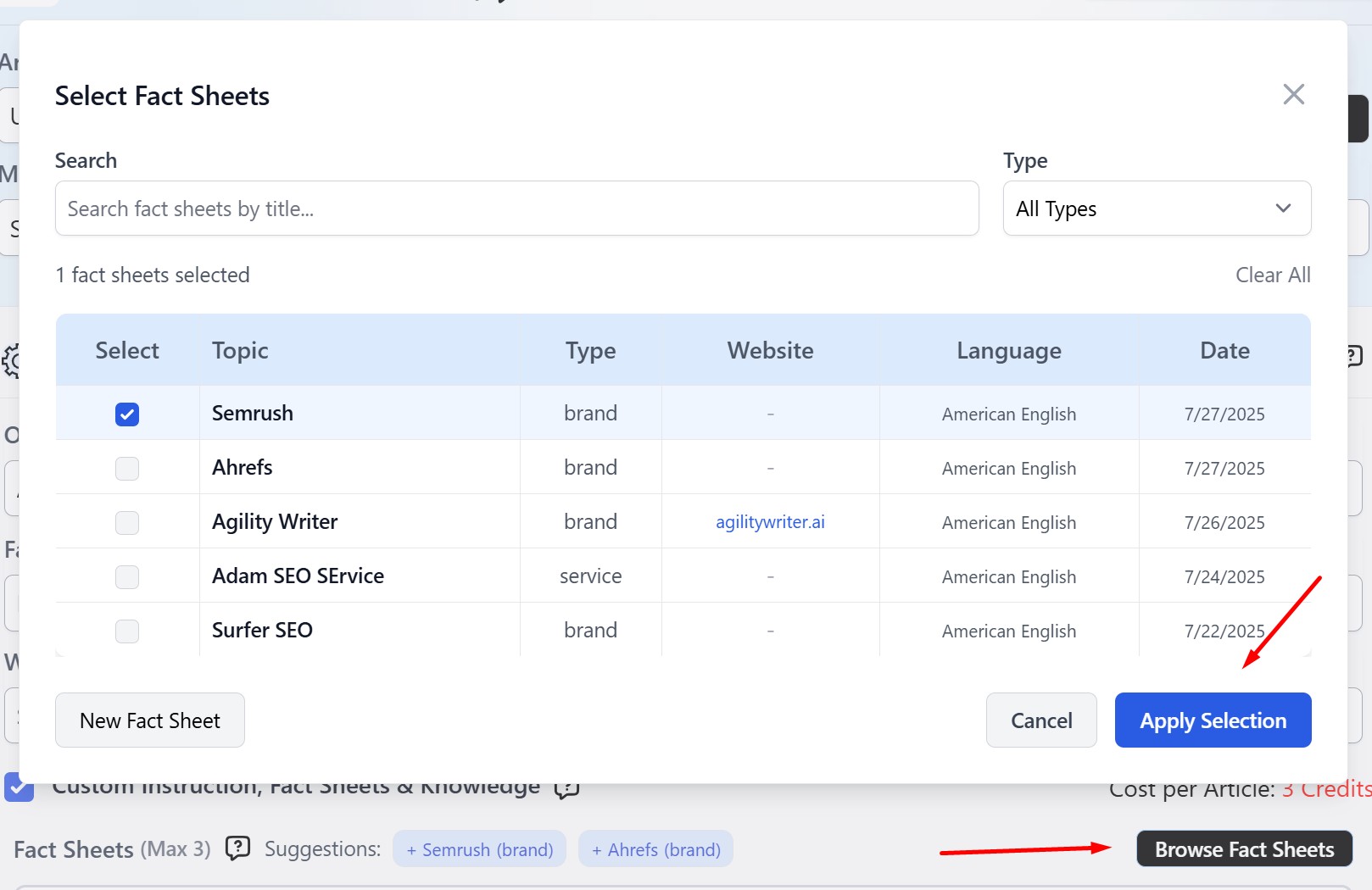
- Enable “Custom Instruction, Fact Sheets & Knowledge”
- Click “Browse Fact Sheets”
- Select relevant fact sheets from your library
- The AI will use this data for consistent, accurate content
Tag Code System:
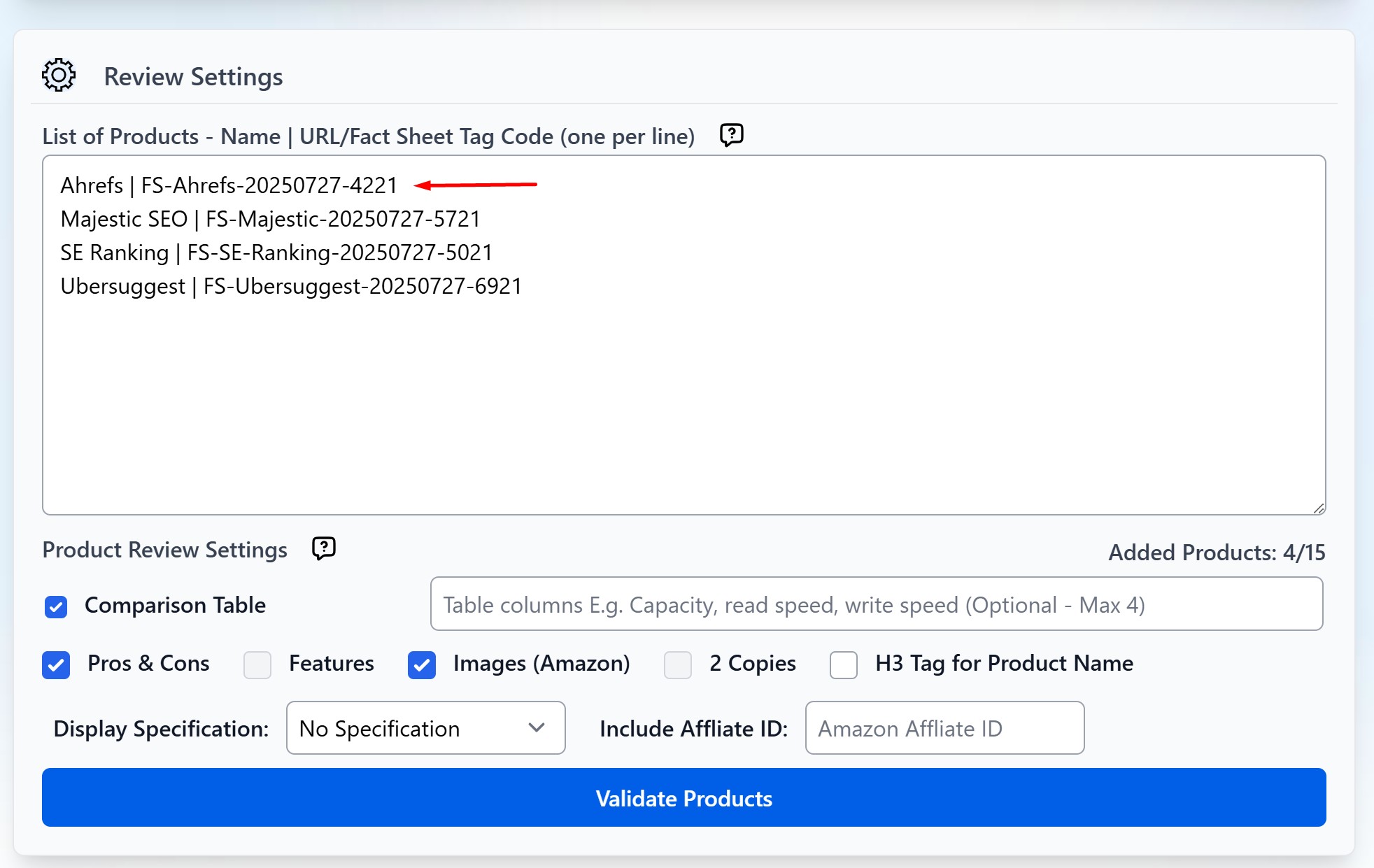
- Each fact sheet gets a unique tag code (e.g., FS-Ahrefs-20250727-4221)
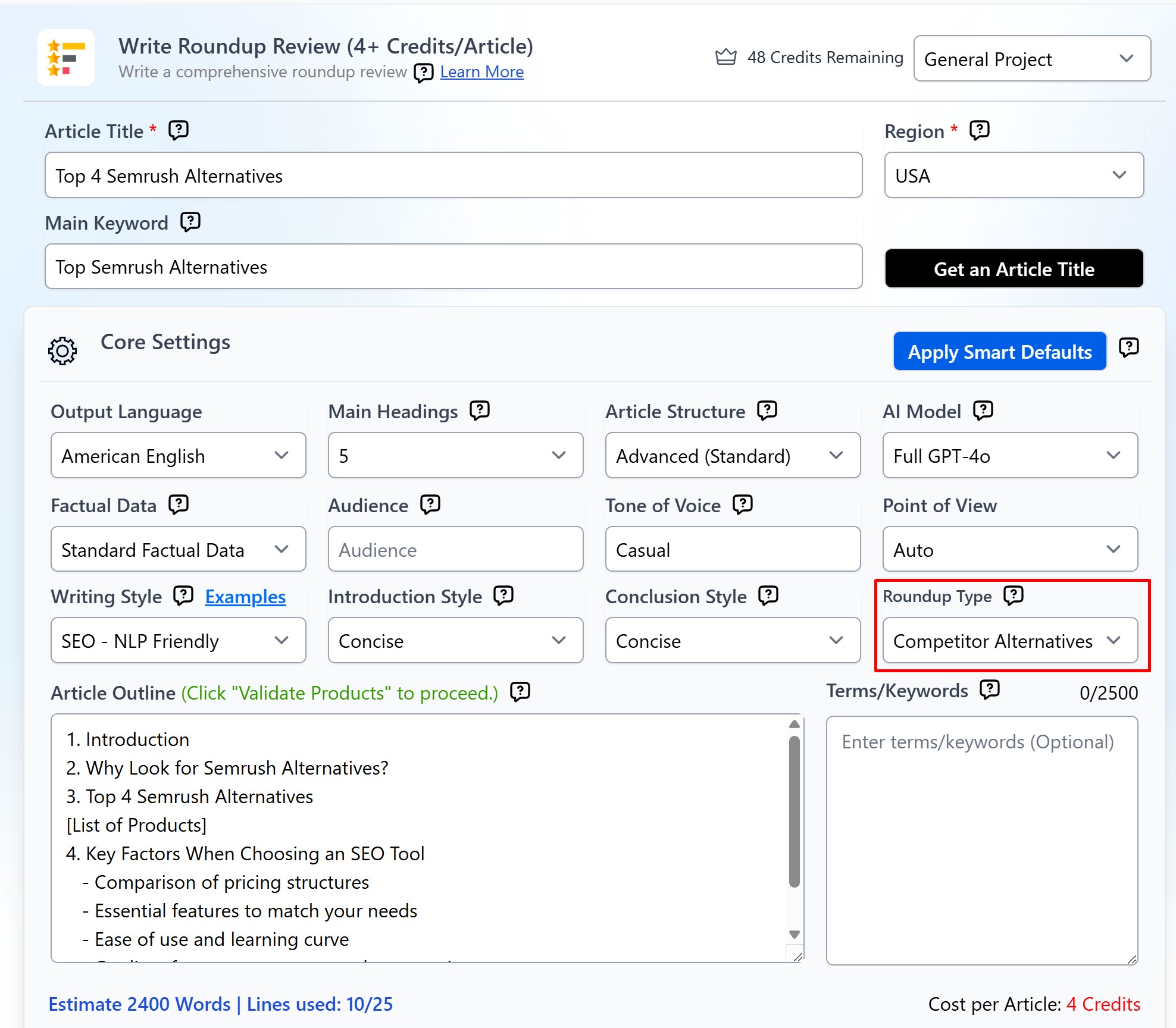
- Use these codes to quickly reference fact sheets in product roundup settings.
Best Practices
- Be Comprehensive: Include all relevant details
- Stay Current: Update fact sheets when information changes
- Use Structure: Organize with clear headings and bullet points
- Add Context: Include pricing, target audience, and key differentiators
- Research Phase: Create fact sheets before starting article series
- Type Classification: Properly categorize as Brand/Product/Service
Managing Your Fact Sheet Library
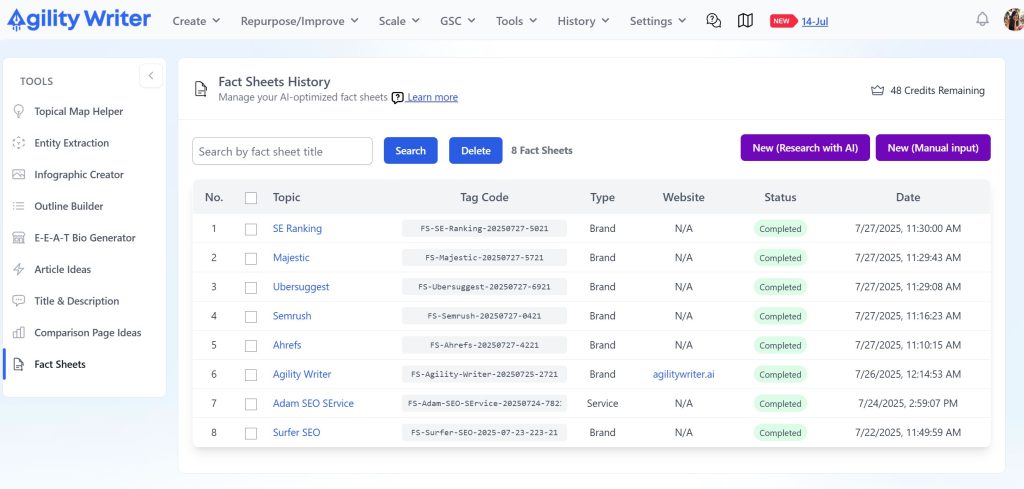
Search and Filter
- Use the search box to find fact sheets by title
- Filter by type (Brand/Product/Service) in selection modals
- Sort by date to find recently created sheets
Bulk Operations
- Select multiple fact sheets using checkboxes
- Delete outdated sheets in bulk
- Use “Select All” for library-wide operations
Character Limits and Technical Details
Content Limits
- Maximum: 12,000 characters per fact sheet
- Recommended: 1,500-3,000 characters for optimal performance
- Warning System: Visual indicators when approaching limits
Export Options
- Copy Content: Get markdown-formatted text for external use
- Export Function: Download fact sheet in various formats
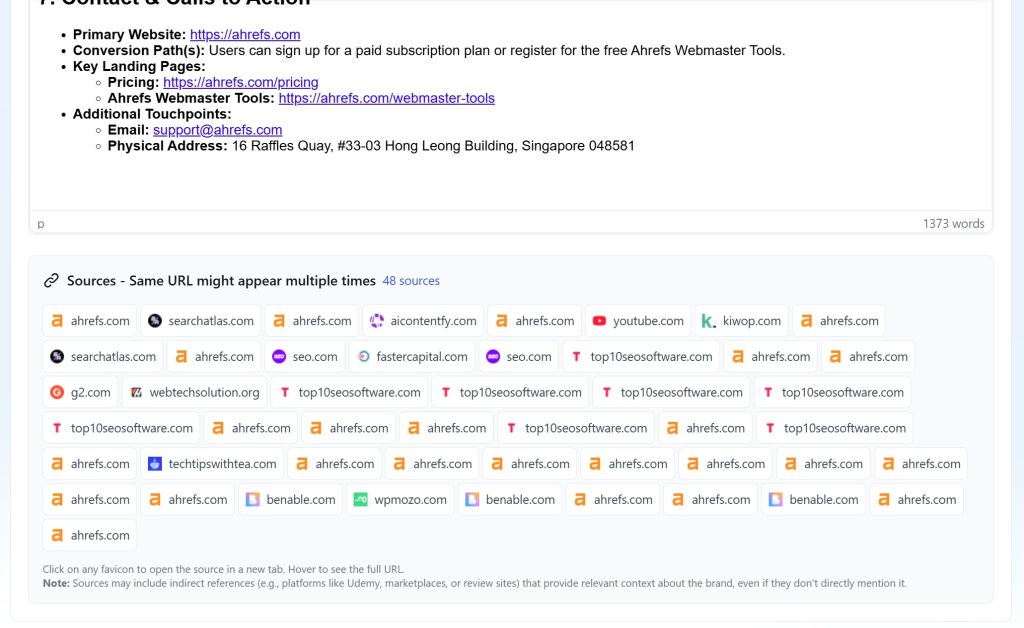
- Citation Access: Review sources and references
Advanced Tips
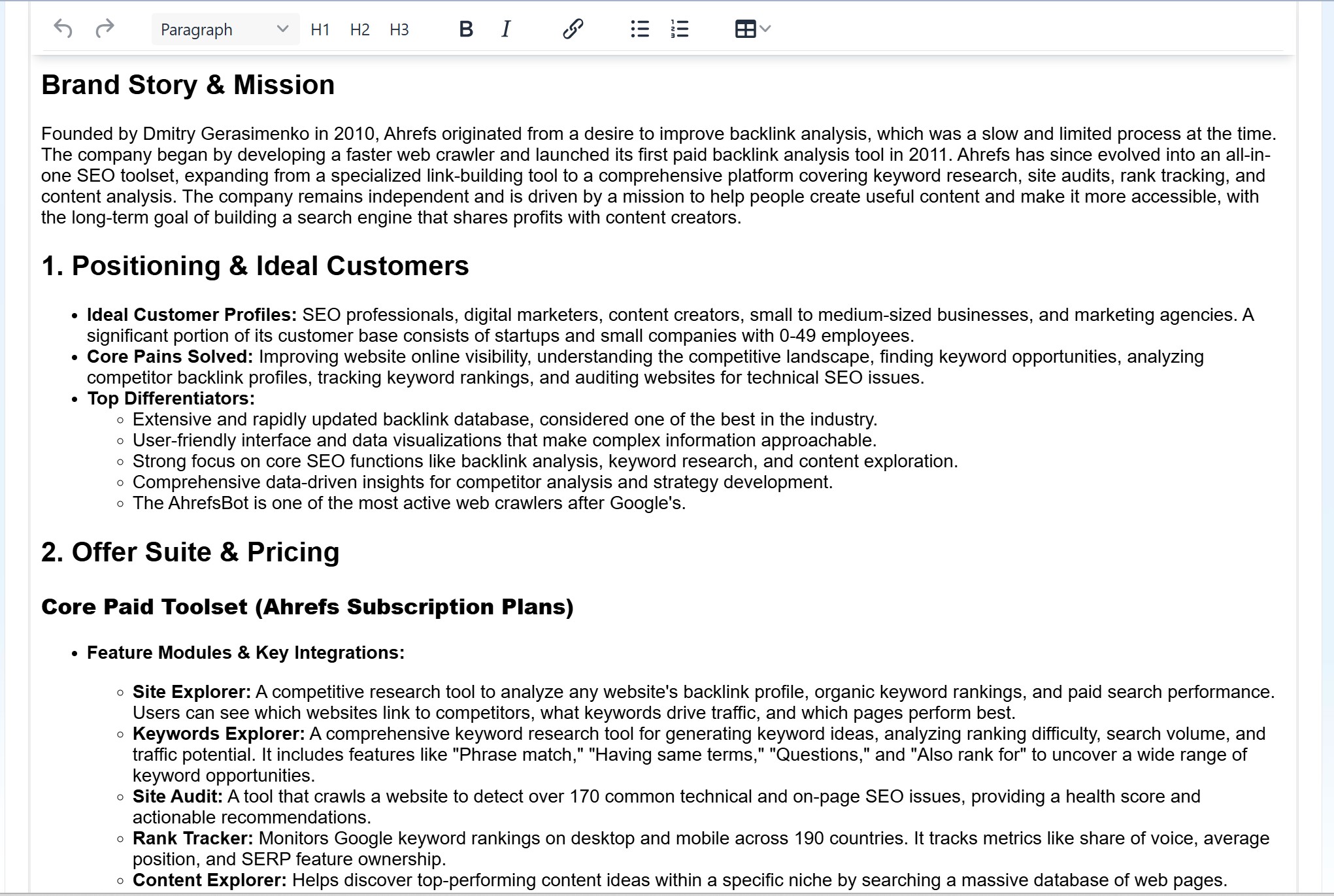
Research Optimization
- Specific Topics: More specific topics yield better AI research
- Include Context: Add website and location for better targeting
- Quality Sources: AI prioritizes authoritative sources
Content Strategy
- Series Planning: Create fact sheets for all topics in a content series
- Competitor Analysis: Build fact sheets for all major players in your niche
- Update Schedule: Set reminders to review fact sheets quarterly
Still need help?
Browse the full help center or start writing on a $1 trial.