
Comparison Page Ideas Generator
Updated March 4, 2026 · Adam Yong
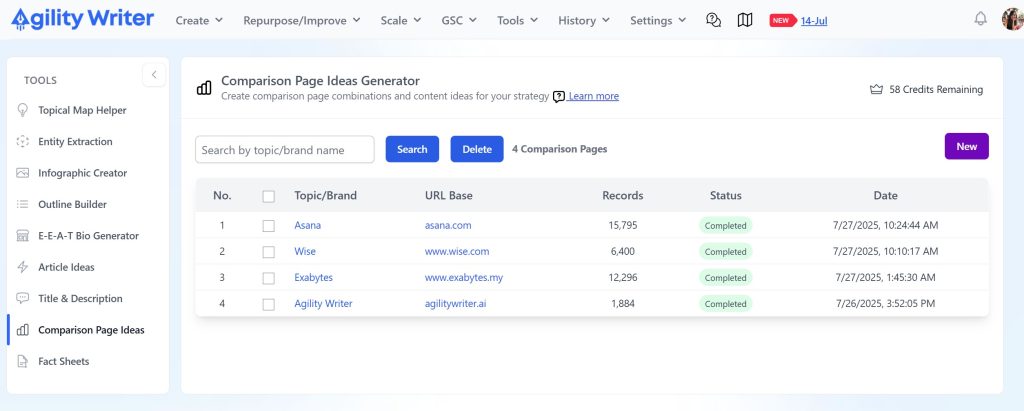
The Comparison Page Ideas Generator is a powerful tool that automatically creates comprehensive lists of comparison page combinations and content ideas for your content strategy. It generates thousands of targeted comparison page ideas based on your brand, competitors, product features, and ideal customer profiles.
Why Use This Feature?
Key Benefits:
- LLM Visibility: Large Language Models (like ChatGPT, Claude, Gemini) heavily favor comparison content when answering user queries, significantly improving your brand’s visibility in AI-powered search results
- Content Scale: Generate thousands of comparison page ideas in seconds instead of manually brainstorming and researching
- Strategic Coverage: Ensures comprehensive coverage of all competitor combinations and market segments
- SEO Optimization: Creates URL structures optimized for search engines and voice search queries
- Competitive Intelligence: AI research automatically discovers competitors and features you might have missed
How to Use
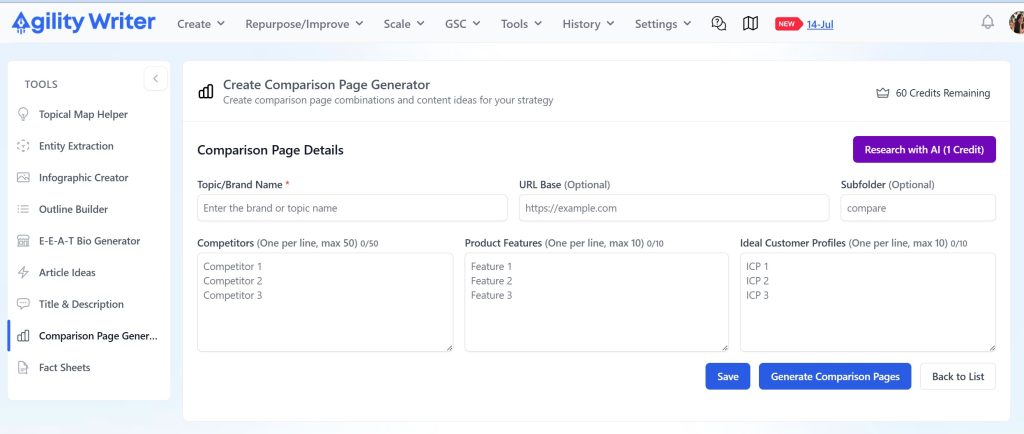
1. Basic Setup
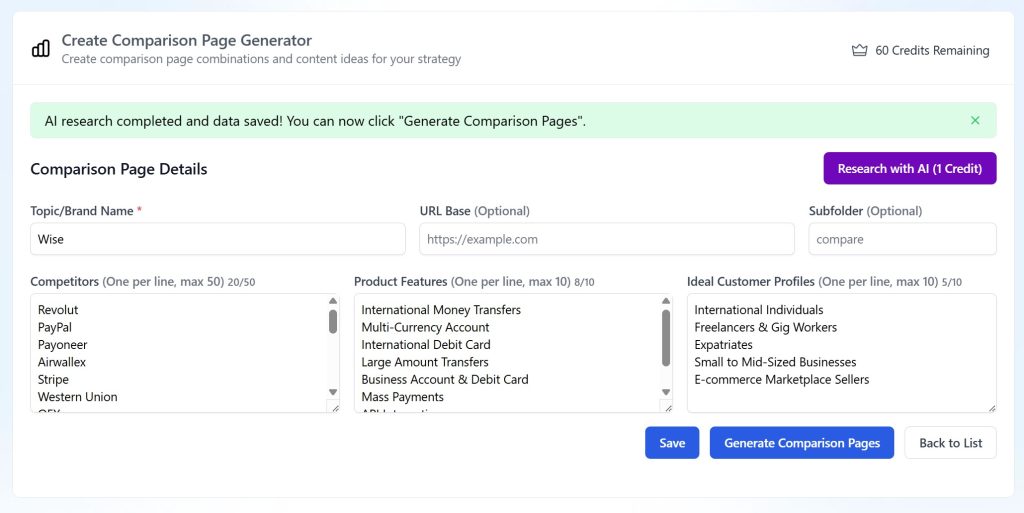
- Topic/Brand Name (Required): Enter your main brand or topic
- URL Base (Optional): Your website’s base URL (e.g., https://agilitywriter.ai))
- Subfolder (Optional): URL subfolder for comparison pages (e.g., “compare”)
2. Input Data
You can either:
- Manual Entry: Fill in competitors, features, and customer profiles manually
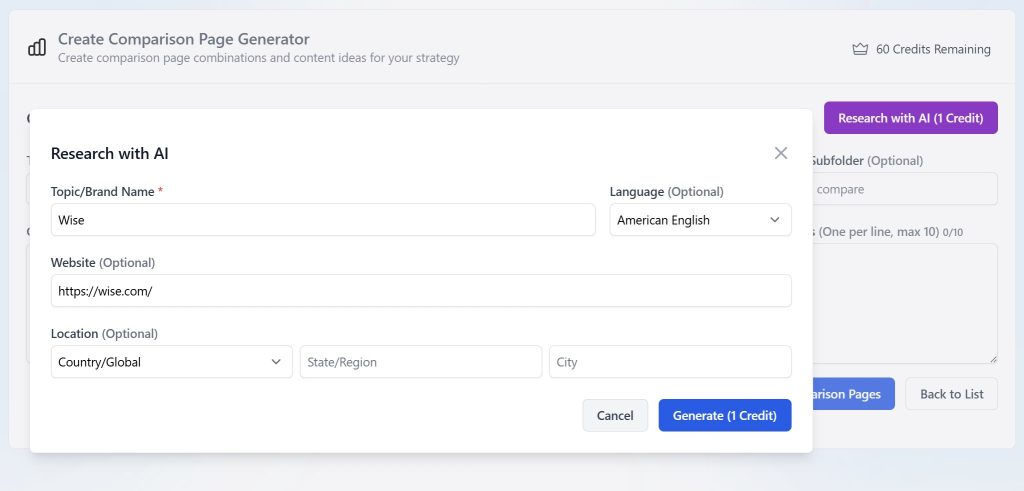
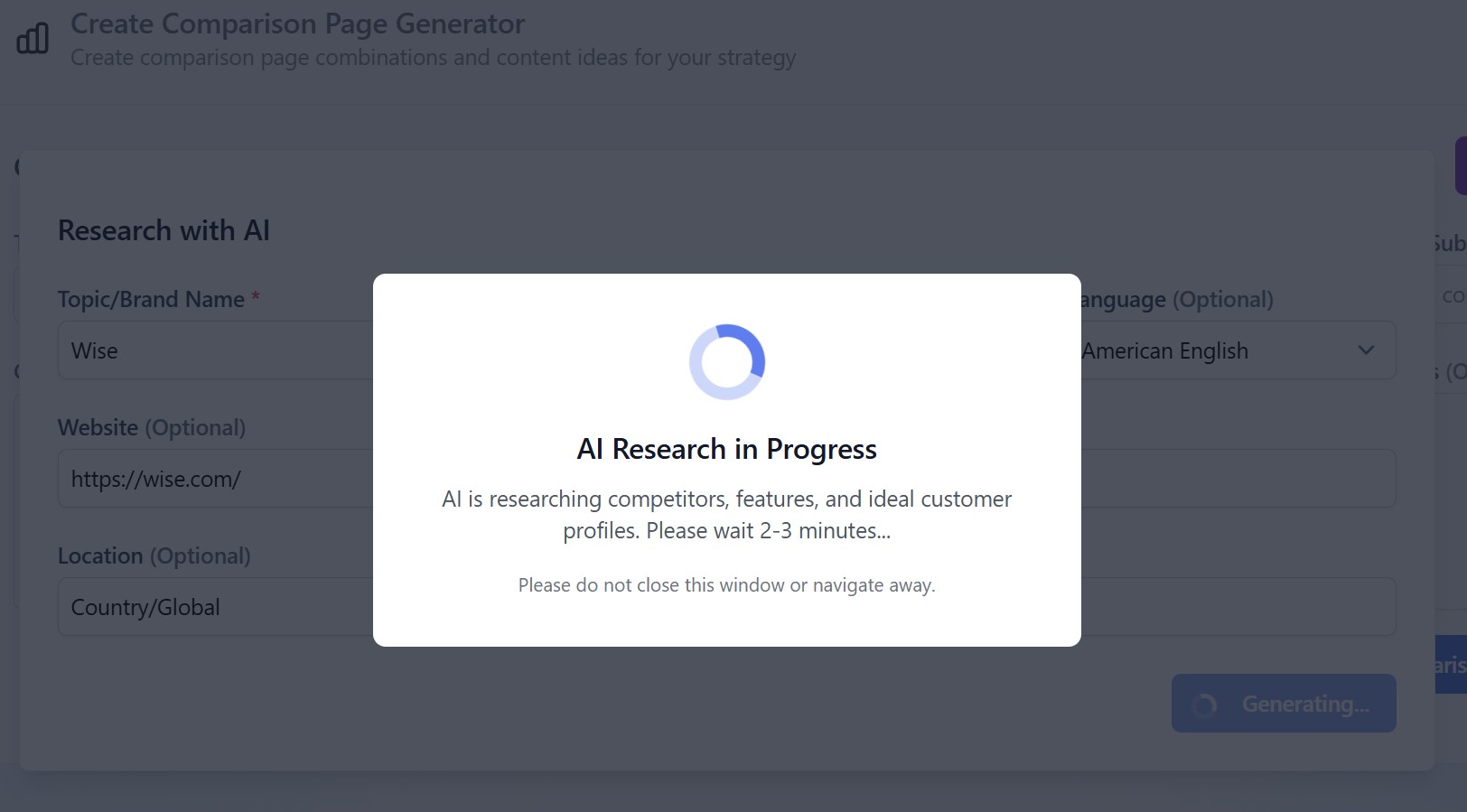
- AI Research (1 Credit): Let AI automatically research and populate:
- Up to 50 competitors
- Up to 10 key product features
- Up to 10 ideal customer profiles
3. Data Limits
- Competitors: Maximum 50 (one per line)
- Product Features: Maximum 10 (one per line)
- Ideal Customer Profiles: Maximum 10 (one per line)
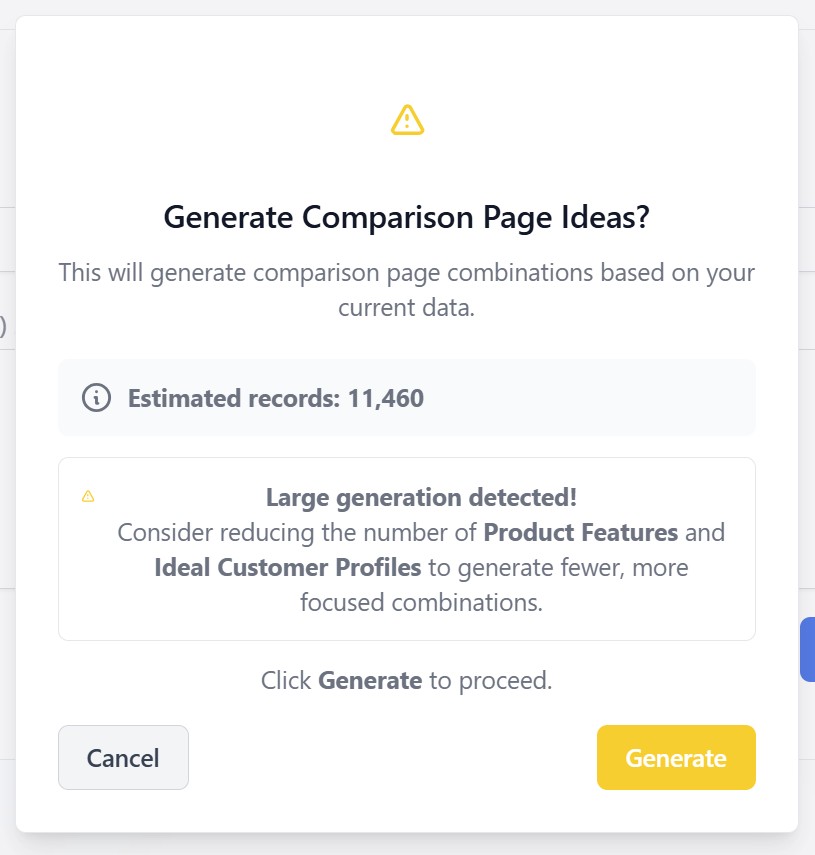
- Generation Limit: 20,000 records per generation
4. Generate Ideas
Click “Generate Comparison Page Ideas” to create combinations including:
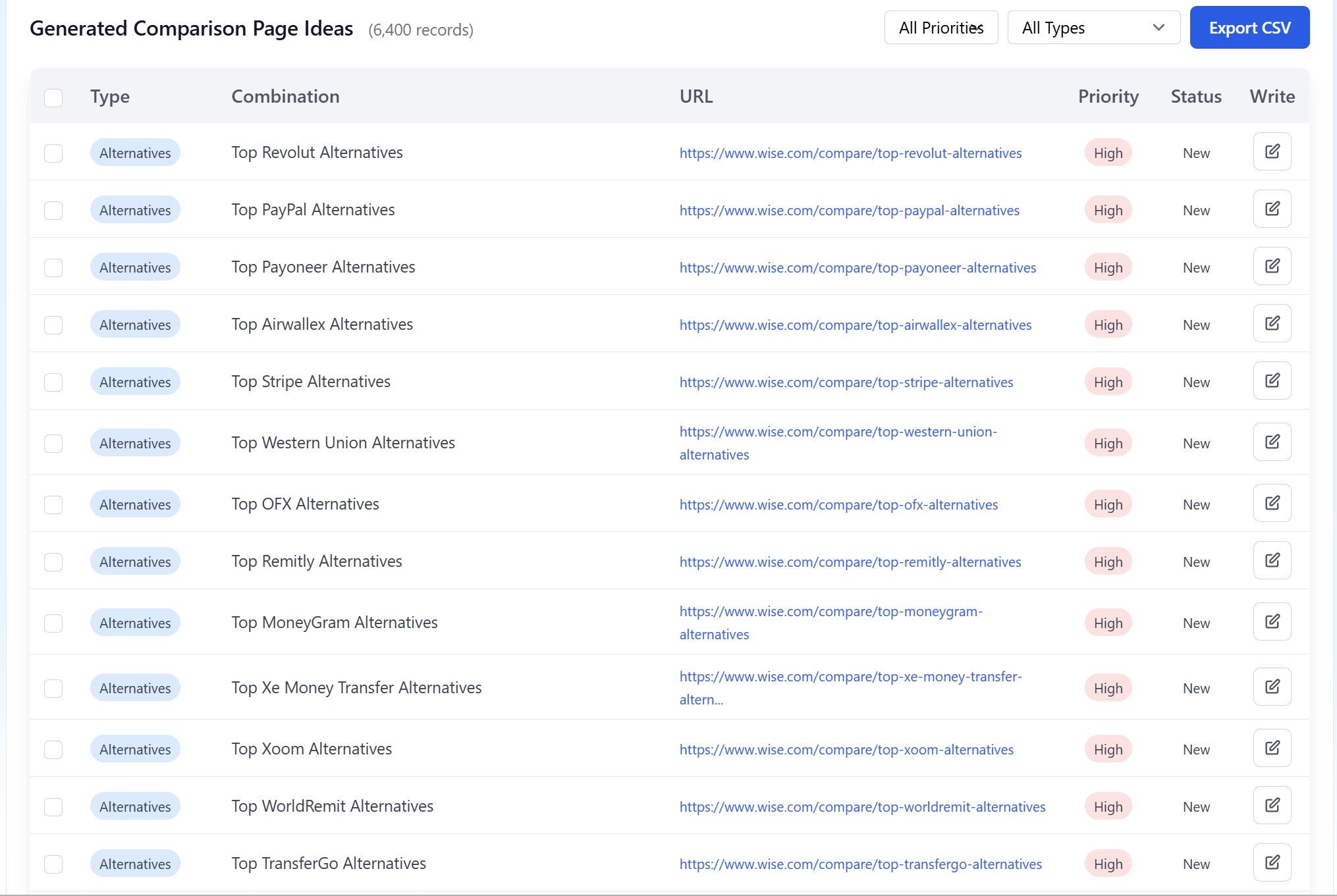
- Alternatives: “Top [Competitor] Alternatives”
- 2-way Comparisons: “[Your Brand] vs [Competitor]”
- 3-way Comparisons: “[Brand A] vs [Brand B] vs [Brand C]”
- Feature-based: “[Feature] Comparison”
- ICP-targeted: Combinations targeting specific customer segments
Generated Content Types
Managing Results
Filtering & Organization
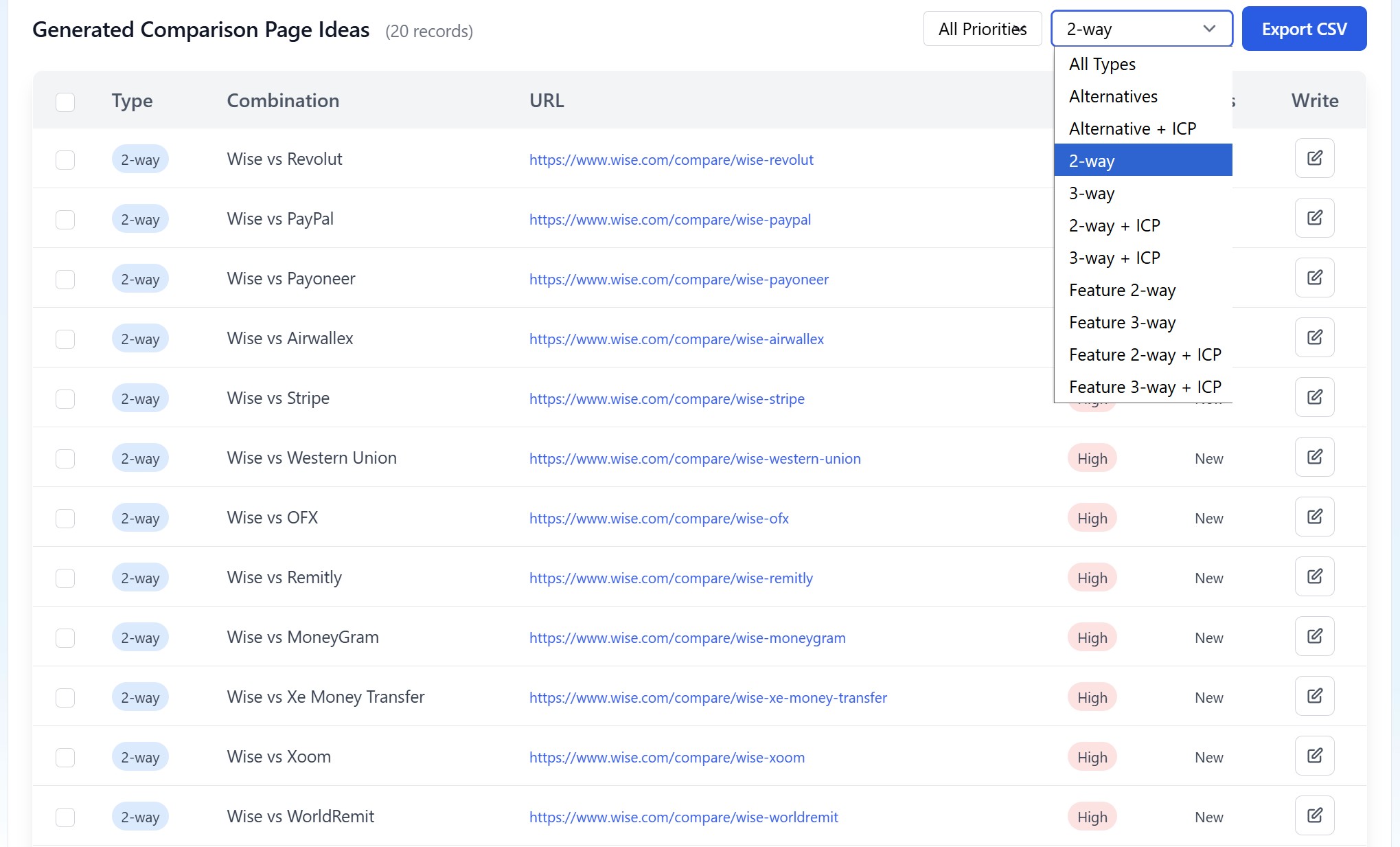
- Filter by Type (Alternatives, 2-way, 3-way, etc.)
- Filter by Priority (High, Medium)
- Mark items as Done or New
- Export filtered results to CSV
Bulk Operations
- Select multiple items for bulk status updates
- Delete unnecessary combinations
- Export selected results
Writing Integration
- Alternatives/ICP pages: Links to Product Roundup writer and preset the article title
- Comparison pages: Links to Advanced Mode writer and preset the article title
Best Practices
- Start with AI Research: Use the 1-credit AI research to discover comprehensive competitor and feature lists
- Limit Scope: Keep features and ICPs focused (3-5 most important) to avoid overwhelming generation counts
- Prioritize High-Value: Focus on high-priority combinations first
- Regular Updates: Refresh competitor data quarterly as markets evolve
- Track Progress: Use status markers to track which pages you’ve created
- Leverage Integration: Use the direct writing links to seamlessly move from planning to content creation with pre-populated comparison titles.
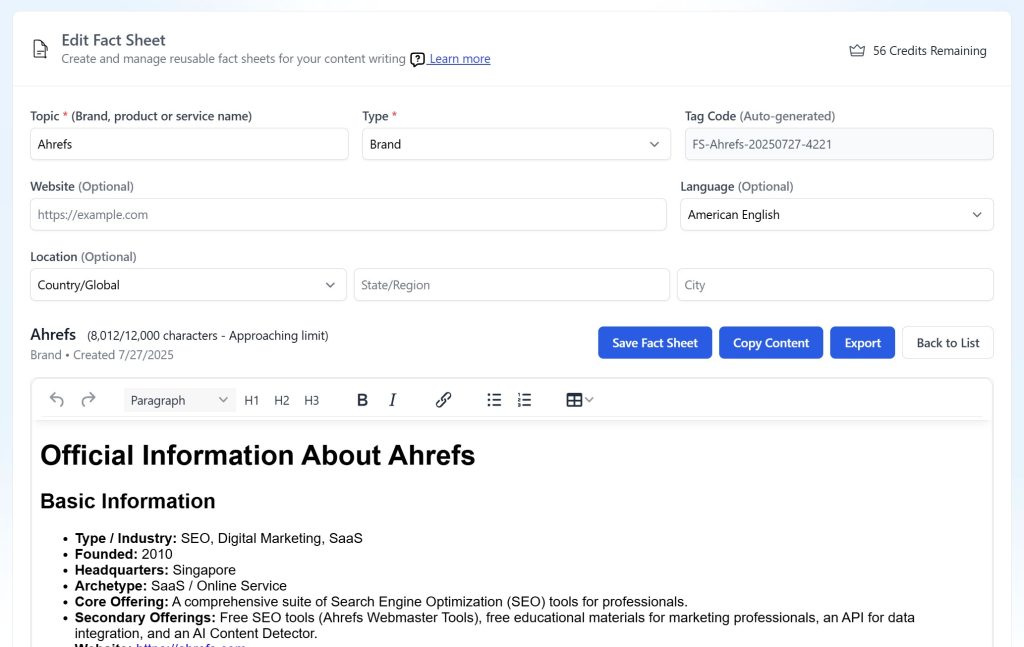
- Create Fact Sheets First: Before writing comparison pages, create Fact Sheets for each competitor and product. Fact Sheets are reusable, research-backed documents that store comprehensive information about brands, products, or services. They serve as your single source of truth for consistent, accurate content across all your articles.
Generation Limits & Warnings
- Hard Limit: 20,000 records maximum per generation
- Large Generation Warning: Shows when >10,000 records will be generated
- Recommendations: Reduce features/ICPs for more focused, manageable results
Still need help?
Browse the full help center or start writing on a $1 trial.