
GSC PowerLinker
Updated January 26, 2026 · Adam Yong
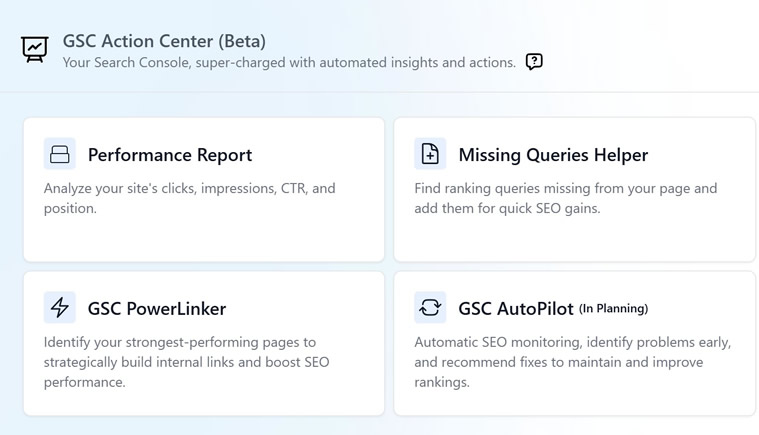
GSC PowerLinker is a strategic internal linking tool that transforms your Google Search Console data into a powerful SEO advantage. Based on the proven “Power Pages” methodology, PowerLinker calculates sophisticated power scores that reveal which pages have accumulated the most link equity and authority from their search performance.
PowerLinker identifies your link equity goldmine – the high-authority pages that can transfer their accumulated power to boost underperforming content. By analyzing position data, search impression, and traffic patterns, it creates a clear hierarchy showing which pages should link to which, maximizing your internal link strategy effectiveness.
The tool serves as your internal linking roadmap, helping you strategically distribute authority from your strongest pages to content that needs ranking boosts. This systematic approach to link equity distribution can significantly improve your overall search performance without requiring additional external backlinks.
Key Benefits
- Authority Transfer: Identify which pages can share their accumulated SEO power
- Strategic Prioritization: Know exactly which internal links will provide maximum impact
- Link Equity Optimization: Maximize your existing authority instead of letting it sit unused
- Competitive Advantage: Outrank competitors through superior internal link distribution
- ROI Maximization: Boost multiple pages using authority you already own
PowerLinker transforms your strongest pages into launching pads for your entire content strategy, ensuring every internal link serves a strategic purpose in your SEO growth.
Getting Started
Prerequisites
- Active subscription: PowerLinker requires a paid subscription (not available for trial users)
- Connected Google Search Console: You must have at least one GSC property connected and synced.
- Sufficient credits: Power calculation requires 1 credits per execution
Initial Setup
- Connect Google Search Console
- Navigate to GSC Action Center
- Click “Connect Google Account” if not already connected
- Add your website properties through “Add GSC Site”
- Click “Sync Now” to sync last 30 days data.
- Access PowerLinker
- Go to GSC Action Center → PowerLinker
- Select your website from the dropdown
- Choose your analysis period (7d, 14d, or 28d)
- First Power Calculation
- Click “Calculate Power Scores” to run initial analysis
- Wait 8-10 seconds for processing to complete
- Click “Search” to load your results
Understanding PowerLinker Strategy
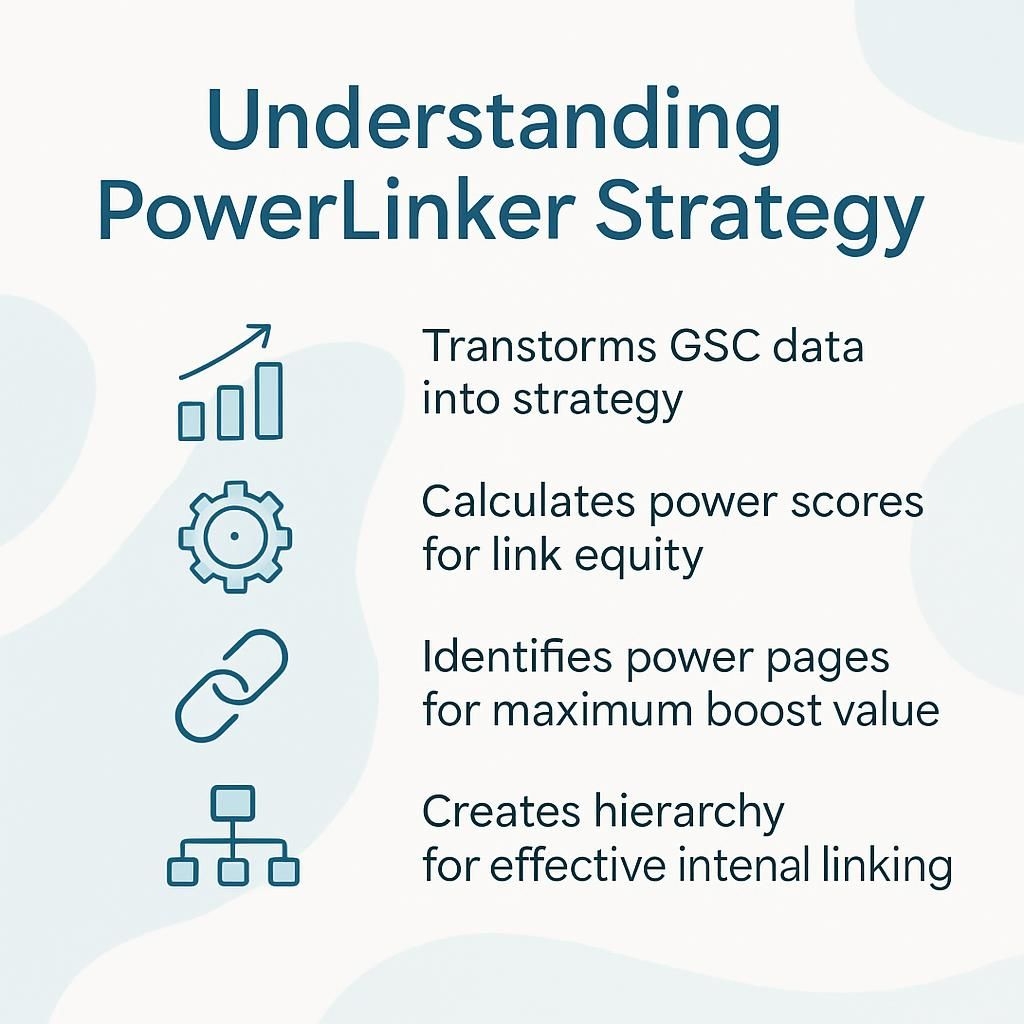
PowerLinker implements the proven methodology, an alternative to Google’s hidden PageRank system. The core principle is that not all pages are created equal. Google treats each page differently based on its established authority and ranking strength, which we can leverage for strategic internal linking.
What is a Power Score?
A Power Score is a sophisticated metric that quantifies a page’s overall search performance value. Power Scores don’t just measure performance – they reveal link equity potential.
Pages with higher power scores have accumulated more authority through their ranking positions and search traffic, making them ideal source pages for internal links. The goal is to transfer this accumulated power to boost other pages on your site.
It combines multiple factors:
- Click Performance: Heavily weighted (10x multiplier) for actual user engagement
- Position Quality: Better positions receive exponentially higher scores
- CTR Efficiency: Compares actual vs. expected click-through rates
- Traffic Volume: Monthly impression projections
- Keyword Diversity: Number of ranking keywords
Monthly Projections: All metrics are projected to 30-day equivalents for consistent comparison across different time periods.Interpreting Power Scores
- High Scores (1500+): Your most valuable pages driving significant traffic
- Medium Scores (100-1499): Good performers with optimization potential
- Low Scores (<100): Either new content or optimization opportunities
The Internal Linking Hierarchy
Golden Rule: Always link from higher power score pages TO lower power score pages, never the reverse.
Think of it like this:
- High Power Score Pages = Strong established pages that can share their authority
- Low Power Score Pages = Newer or weaker pages that need authority boosts
- Internal Links = The conduit for transferring SEO power between pages
Strategic Link Flow
High Power Score Page (Score: 2,500) → Internal Link → Target Page (Score: 150)
✅ Correct: Transfers authority from strong to weak page
Target Page (Score: 150) → Internal Link → High Power Score Page (Score: 2,500)
❌ Wrong: Wastes linking opportunity, provides minimal value
Using the PowerLinker Interface
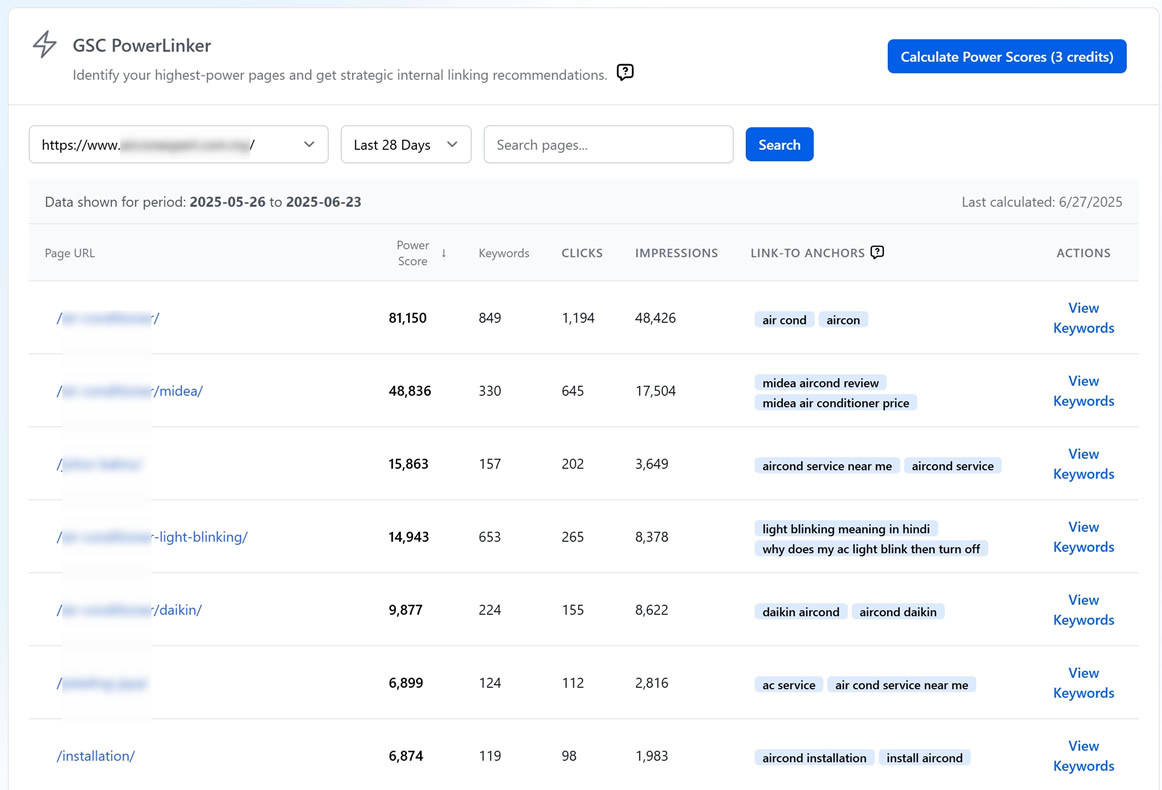
Main Controls
- Website Selector: Choose your GSC property (selection remembered)
- Data Range: 28d (low traffic), 14d (medium traffic), 7d (high traffic)
- Search: Filter pages by URL path
- Sorting: Click column headers to sort data
Power Pages Table
Key columns for internal linking strategy:
- Page URL: Your content pages (click to open)
- Power Score: Link equity potential (higher = better source page)
- Keywords: Total ranking keywords count
- Clicks/Impressions: Traffic performance metrics
- Link-to Anchors: Suggested anchor text for linking TO this page (positions 11-30)
- Actions: “View Keywords” for detailed analysis
Keyword Analysis
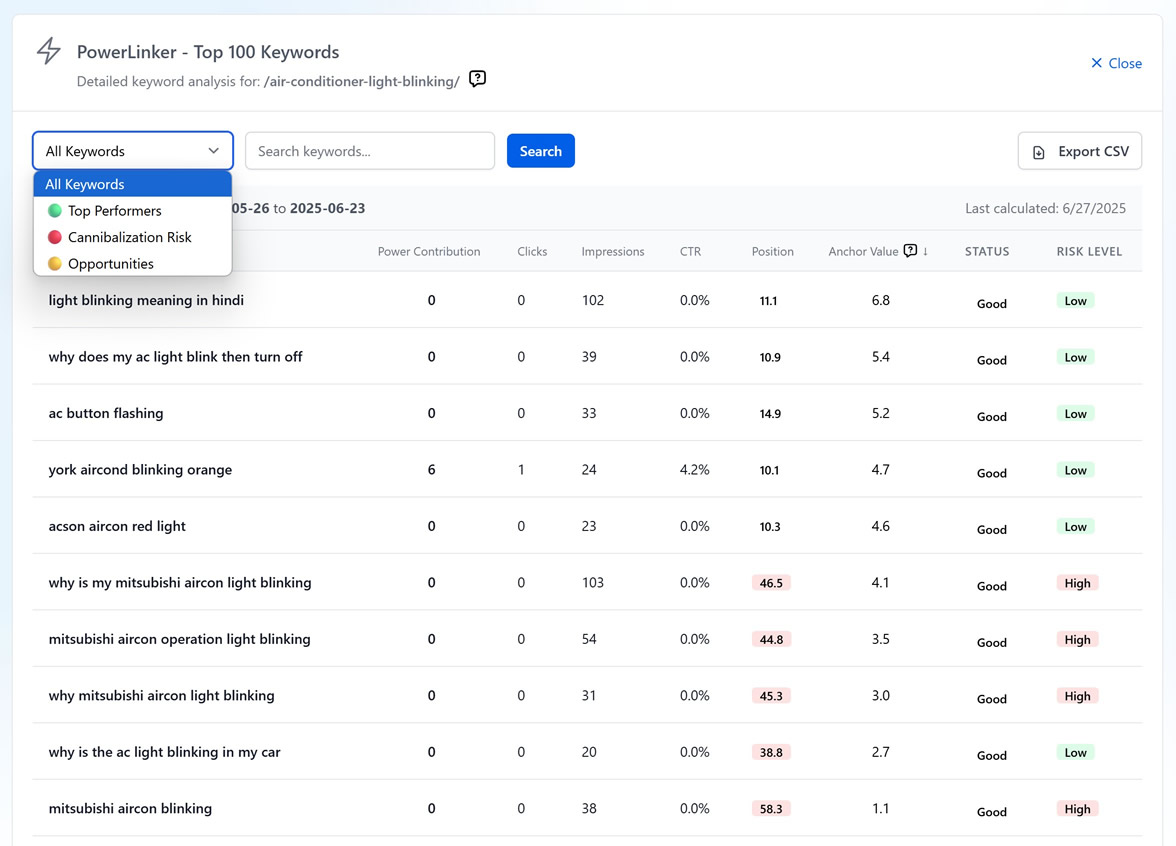
Access via “View Keywords” button for detailed page analysis:
Key Data Points:
- Power Contribution: How much each keyword adds to total power score
- Performance Metrics: Clicks, impressions, CTR, position (color-coded)
- Anchor Value: Suitability score for internal link anchor text (positions 11-30 = best)
- Status: Strong/Good/Weak performance indicators
- Risk Level: Keyword cannibalization warnings
Filtering & Export:
- Category filters: All, Top Performers, Cannibalization Risk, Opportunities
- Text search for specific keywords
- CSV export for detailed analysis
PowerLinker Analysis for Link Strategy
Identifying Source Pages
Your PowerLinker table serves as a priority map for internal linking sources:
Top Priority Sources (Highest Scores)
- Use these as your primary internal linking sources
- These pages have the most authority to transfer
- Focus on pages with scores 1500+ for maximum impact
Secondary Sources (Medium Scores)
- Good for supporting internal links
- Use after exhausting top-tier opportunities
- Scores 100-1499 range
Target Recipients (Lower Scores)
- Pages that need authority boosts
- Newer content or underperforming pages
- Prime candidates to receive internal links
Topical Relevance Consideration
While power scores determine linking strength, topical relevance comes first:
- First: Find topically relevant high-power score pages
- Second: Use power scores to prioritize among relevant options
- Avoid: Linking from completely unrelated high-power score pages
Example 1: E-commerce Site If you need internal links for a “wireless headphones” product page, prioritize high-power score pages about audio equipment, electronics reviews, or tech accessories over a high-power score page about smartphone cases, even if the phone cases page has a higher score.
Example 2: Health & Wellness Site
If you need internal links for a “yoga for beginners” page, prioritize high-power score pages about fitness, meditation, or wellness tips over a high-power score page about healthy recipes, even if the recipes page has a higher score.
Example 3: Travel Site
If you need internal links for a “budget travel tips” page, prioritize high-power score pages about travel planning, destination guides, or money-saving strategies over a high-power score page about luxury hotels, even if the luxury hotels page has a higher score.
Keyword Analysis for Anchor Text Strategy
Anchor Text Selection Rules
The keyword analysis reveals the best anchor text options for your internal links:
Golden Position Range: Positions 11-30
- Keywords ranking in positions 11-30 make excellent anchor text
- These keywords have search volume but aren’t your top performers
- Using them as anchors helps boost those specific keyword rankings
Anchor Value Scoring
- Higher Anchor Values (in the keyword table) = better anchor text candidates
- Keywords showing “-” for Anchor Value aren’t suitable for anchor text
- Focus on keywords with scores above 5.0 for internal linking
Why Positions 11-30 Work Best
PowerLinker’s rule: “Using positions 10+ makes great anchors”
- Positions 1-10: Already performing well, don’t need anchor text boost
- Positions 11-30: The “sweet spot” – have potential but need authority transfer
- Positions 30+: May lack sufficient relevance or search volume
Anchor Text Implementation
Best Practice Process:
- Identify high-power score source page
- Find target page needing authority boost
- Select anchor text from target page’s position 11-30 keywords
- Use keyword that’s topically relevant to target page
- Create contextual internal link (FAQ sections work exceptionally well)
Internal Linking Implementation Strategy
The FAQ Method (Recommended)
Based on PowerLinker methodology, FAQ-based internal linking provides the best results:
Why FAQ Links Work:
- Google favors contextual links
- FAQ content naturally allows topical coverage
- Easier to implement than forcing links into existing content
- Provides additional value to users
Implementation Steps:
- Create or expand FAQ sections on high-power score pages
- Write questions that naturally lead to your target pages
- Use position 11-30 keywords as anchor text in answers
- Link to relevant target pages that need authority boosts
Tips: You can use GSC – Missing Query helper’s FAQs generator to create these FAQs, ensure you enter the anchor text in the keyword field.Multiple Links Strategy
When a target page needs multiple internal links:
- Rank source pages by power score (highest first)
- Select top 5-10 relevant high-power score pages as sources
- Distribute links using different anchor texts from each source
- Vary anchor text using different position 11-30 keywords
- Space out implementation over time for natural linking pattern
Link Equity Distribution Planning
High-Impact Scenarios:
- New product/service pages needing quick authority
- Content competing with established competitors
- Pages ranking 11-20 that could reach page 1 with authority boost
Maintenance Scenarios:
- Supporting existing strong content
- Building topical authority clusters
- Strengthening conversion-focused pages
Strategic Implementation Workflow
Phase 1: Power Mapping (Week 1)
- Run 28-day power calculation for baseline data
- Export and rank all pages by power score
- Identify top 20-30 highest power score pages as source candidates
- Map target pages needing authority boosts
Phase 2: Anchor Research (Week 2)
- Analyze keywords for each high-power score source page
- Extract position 11-30 keywords with high anchor values
- Match anchor keywords to relevant target pages
- Create anchor text strategy document
Phase 3: Content Planning (Week 3)
- Plan FAQ sections for high-power score source pages
- Design questions that naturally incorporate target anchors
- Ensure topical relevance between source and target
- Prepare content that adds user value beyond just linking
Phase 4: Implementation (Week 4+)
- Implement internal links starting with highest-power score sources
- Use varied anchor texts from position 11-30 keywords
- Space implementation over time for natural patterns
- Monitor ranking improvements for target pages
Phase 5: Monitoring & Optimization (Ongoing)
- Re-run power calculations monthly
- Track target page ranking improvements
- Adjust strategy based on performance data
- Identify new opportunities as content portfolio grows
Measuring Success
Key Performance Indicators
Primary Metrics:
- Target page ranking improvements for linked keywords
- Organic traffic increases to pages receiving internal links
- Keyword position movements from 11-30 range to top 10
Secondary Metrics:
- Overall domain authority distribution improvements
- Internal link equity flow optimization
- Competitive positioning changes in target niches
Expected Timeline
- Weeks 1-4: Implementation phase, limited immediate impact Weeks 4-8: Initial ranking improvements for well-optimized targets
- Weeks 8-12: Significant improvements for pages with good link accumulation 3+ Months: Full impact of strategic internal linking strategy
Advanced Optimization Techniques
Link Equity Concentration
For high-priority target pages, consider concentrating multiple internal links:
- 5-10 strategic internal links from top power score pages
- Varied anchor texts covering different keyword variations
- Contextual placement in relevant content sections
- Gradual implementation to avoid over-optimization penalties
Site Architecture Integration
URL Structure Optimization:
- Higher power scores often correlate with shorter, cleaner URLs
- Consider URL optimization for pages receiving authority boosts
- Maintain logical site hierarchy while implementing link strategy
Navigation Enhancement:
- Integrate high-value internal links into site navigation
- Use PowerLinker insights to inform menu structure decisions
- Balance user experience with link equity distribution
Troubleshooting & Common Pitfalls
Over-Optimization Avoidance
Warning Signs:
- Using identical anchor text across multiple links
- Implementing too many internal links simultaneously
- Linking without topical relevance for power score alone
- Creating unnatural content solely for linking purposes
Best Practices:
- Vary anchor text using different position 11-30 keywords
- Implement links gradually over weeks/months
- Prioritize user value in all linking decisions
- Maintain natural content flow and readability
Link Equity Waste Prevention
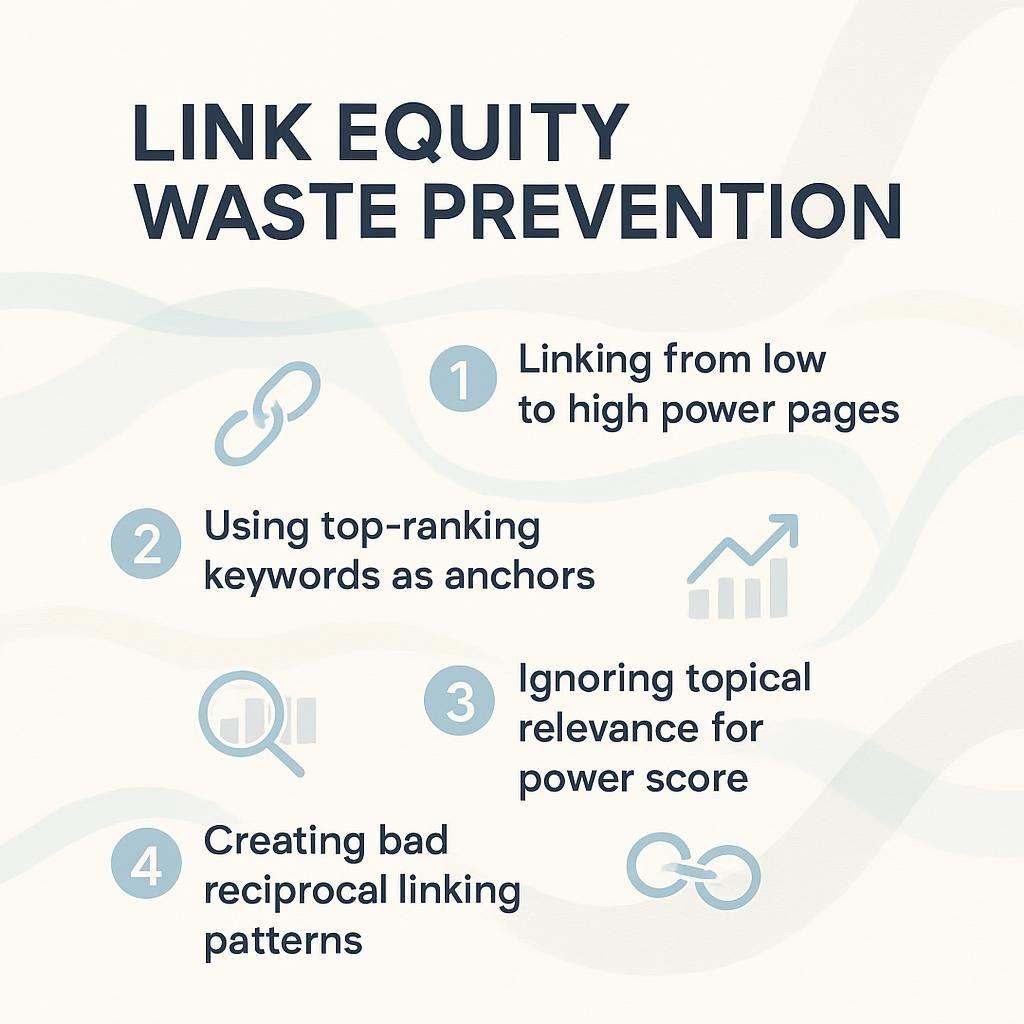
Common Mistakes:
- Linking from low-power score pages to high-power score pages
- Using top-ranking keywords (positions 1-10) as anchor text
- Ignoring topical relevance for power score alone
- Creating reciprocal internal linking patterns Example of BAD Reciprocal Pattern: Page A (Power Score: 2,000) → links to → Page B (Power Score: 500) Page B (Power Score: 500) → links back to → Page A (Power Score: 2,000)
Optimization Strategies:
- Always verify power score hierarchy before linking
- Reserve position 1-10 keywords for content optimization, not anchor text
- Map topical relationships before implementing link strategy
- Create one-way link equity flow from strong to weak pages
Data Accuracy
GSC Data Delays
- Google Search Console data has 2-3 day delays
- Recent performance won’t appear immediately
- Use appropriate date ranges for analysis
Power Score Discrepancies
- Scores use monthly projections for consistency
- Different time periods will show different absolute values
- Focus on relative rankings between pages
Missing Keywords
- Keywords may be filtered by performance thresholds
- Very low-traffic keywords might not appear
- Check if data range covers sufficient time
Sampling Considerations
- Very large sites may have sampled GSC data
- PowerLinker works with available data accuracy
- Results remain proportionally correct
Still need help?
Browse the full help center or start writing on a $1 trial.