

New: Smart Writer, Context-Aware Visuals, Site Structure Audits

Wire Agility Writer Into Your Stack with Zapier

Start article jobs from 7,000+ apps, track completion, and deliver results to Slack, Sheets, or WordPress. No code.

★★★★★ 4.7 5,000+ users $1 trial, cancel anytime

Zapier Integration feature illustration
★★★★★ 4.7 (33+ Trustpilot)
5,000+ active users
Articles in minutes
15+ years SEO consulting

What is Zapier Integration?

The Zapier integration lets you start Agility Writer jobs from forms, sheets, or CRMs and route the finished articles wherever they need to go. Pick a trigger in any of 7,000+ connected apps, point it at an Agility Writer action like Create Article, and use filters, delays, and webhooks to deliver results to Slack, Google Sheets, or WordPress.

Zapier Integration workflow detail

Everything you get with Zapier

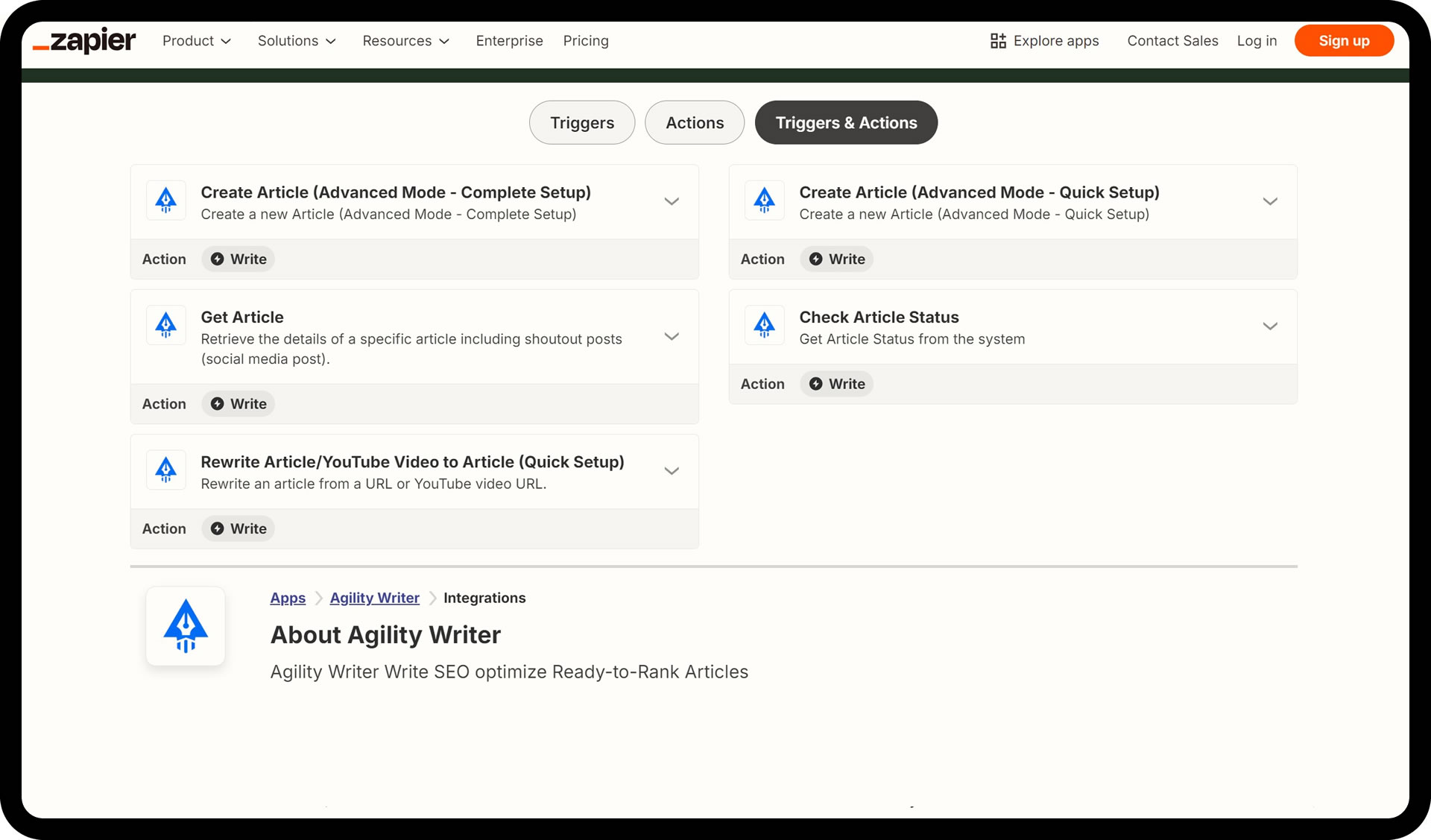
Five actions: Create Article (Quick or Complete Setup), Rewrite/YouTube to Article, Check Article Status, Get Article

Triggers from 7,000+ apps: Sheets, Slack, CRMs, RSS, and more

Quick Setup for fast zaps, Complete Setup for full writer-level control

Retrieve finished articles plus their social posts via Get Article

No code and no extra Agility Writer cost on eligible plans

Zapier Integration screenshot 1
Zapier Integration screenshot 2
Zapier Integration screenshot 3

How Zapier runs in practice

01
1

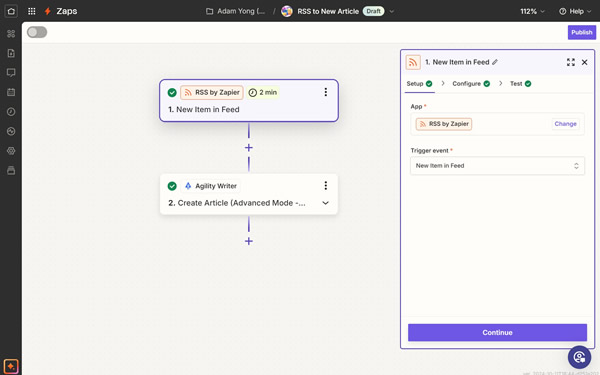
Choose a trigger

Pick the event that starts the workflow, such as a new row in Google Sheets or a new item in an RSS feed.

02
2

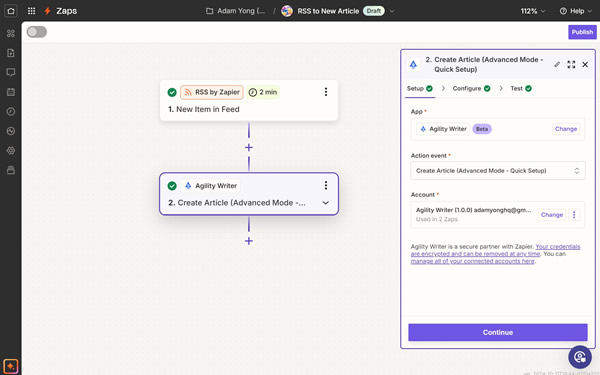
Set up the Agility Writer action

Choose an action like Create Article, then connect your Agility Writer account.

03
3

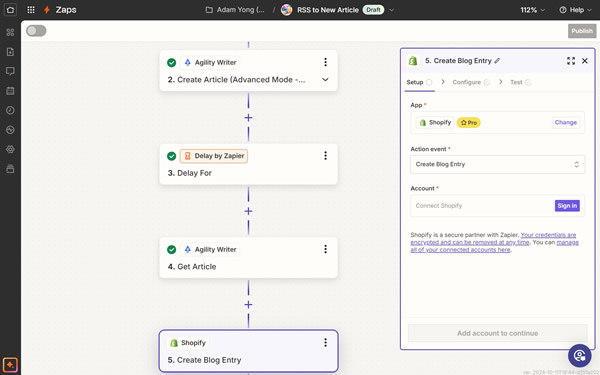
Customize the workflow

Define your content settings and preferences: keywords, titles, mode options, and where results should go.

04
4

Automate and save time

Turn the Zap on. Zapier and Agility Writer handle generation and delivery while you work on something else.

The Zapier integration turns Agility Writer into a step inside any workflow you already run. An event somewhere in your stack (a form submission, a new spreadsheet row, a fresh RSS item) starts an article job, and the finished result lands wherever you point it.

The five actions

  • Create Article (Advanced Mode, Quick Setup) — generate a new article from keywords and titles with a fast, minimal configuration.
  • Create Article (Advanced Mode, Complete Setup) — the same generation with full customization, mirroring everything you can set inside Agility Writer.
  • Rewrite Article / YouTube Video to Article — convert an existing URL or a YouTube video into a fresh, original article.
  • Check Article Status — track generation progress in real time so downstream steps fire at the right moment.
  • Get Article — retrieve the finished article along with its ready-to-post social media content.

Workflows teams actually build

  • Automated blog posting — add a topic to a Google Sheet, Agility Writer generates the article, and it posts to your WordPress blog.
  • Social media on publish — when a new article goes live, generate and schedule the matching social posts automatically.
  • Content repurposing — turn your latest YouTube videos into blog articles without touching the writer.
  • Timely news updates — generate articles on trending topics as soon as they surface on X (Twitter).
  • E-commerce product descriptions (coming soon) — add a product in Shopify and get an SEO-friendly description back.

The Sheets-to-WordPress pipeline is the easiest place to start: fill a spreadsheet with keywords, and published posts appear on the blog. Pair it with the WordPress integration for the publishing leg.

When to graduate to the API

Zapier covers most pipelines without an engineering hire. If your workflow needs complex routing, multi-system orchestration, or volume beyond what per-task Zapier pricing makes sensible, the native API gives you direct programmatic control using your plan credits.

Run a Zapier job on a $1 trial

5 trial credits, full feature access, and cancel anytime. Test Zapier on your own keywords before you commit to a plan.

  • 5 trial credits, no contract
  • Cancel in two clicks, anytime
  • Credits roll over on annual plans

Why pick Zapier over the alternatives

Automation without engineering

Build a content pipeline from a spreadsheet and a Zap. No webhooks to write, no API client to maintain.

Full writer control when you need it

The Complete Setup action exposes the same article customization you get inside Agility Writer, so automated articles aren't dumbed-down articles.

Results delivered where you work

Route finished articles to WordPress, Sheets, or Slack with filters, delays, and webhooks in between.

What customers say about Agility Writer

★★★★★

"We went from 0 to 50,000+ organic visits in under 6 months using Agility Writer. The Topical Map Helper and auto-SEO features saved hundreds of hours of manual optimization. It's not just an AI writer, it's an entire content strategy tool."

M
Marcus T.
Content marketing agency
★★★★★

"Bulk Mode let us launch a programmatic SEO site with 180 articles in a single weekend. NeuronWriter scores landed above 80 on every piece without re-edits."

P
Priya R.
Affiliate marketer
★★★★★

"After our HCU drop, G-Smart Optimizer flagged the exact passages Google was penalizing. The before/after diff made the rewrites obvious, and we recovered 60% of lost traffic in two months."

J
James W.
SEO consultant, UK

Zapier FAQs

Do I need technical skills to set up the integration?
No. Setting up Agility Writer with Zapier is straightforward, with no coding knowledge required.
What apps can I connect with Agility Writer through Zapier?
Thousands of apps, including Google Sheets, Slack, WordPress, Shopify, and more, drawn from Zapier's 7,000+ app directory.
Is there an extra cost to use the Zapier integration?
The integration is included for Agility Writer users on a standard/pro plan and above. Zapier has its own pricing plans based on your usage.
Which Zapier actions are available?
Create Article in Advanced Mode with a Quick Setup or a Complete Setup, Rewrite Article / YouTube Video to Article, Check Article Status, and Get Article, which also returns the article's social posts.
Can I keep the unused article credits and roll them over to next month?
Yes. Unused credits roll over to the next month as long as your subscription stays active.
Available now, start in under 2 minutes

Ready to try Zapier?

Start your $1 trial. 5 credits, full access to Zapier Integration and every other Agility Writer feature.

Cancel anytime
Credits roll over
Trustpilot 4.7/5